Printers – how to compare types and functions


Printers – how to compare types and functions
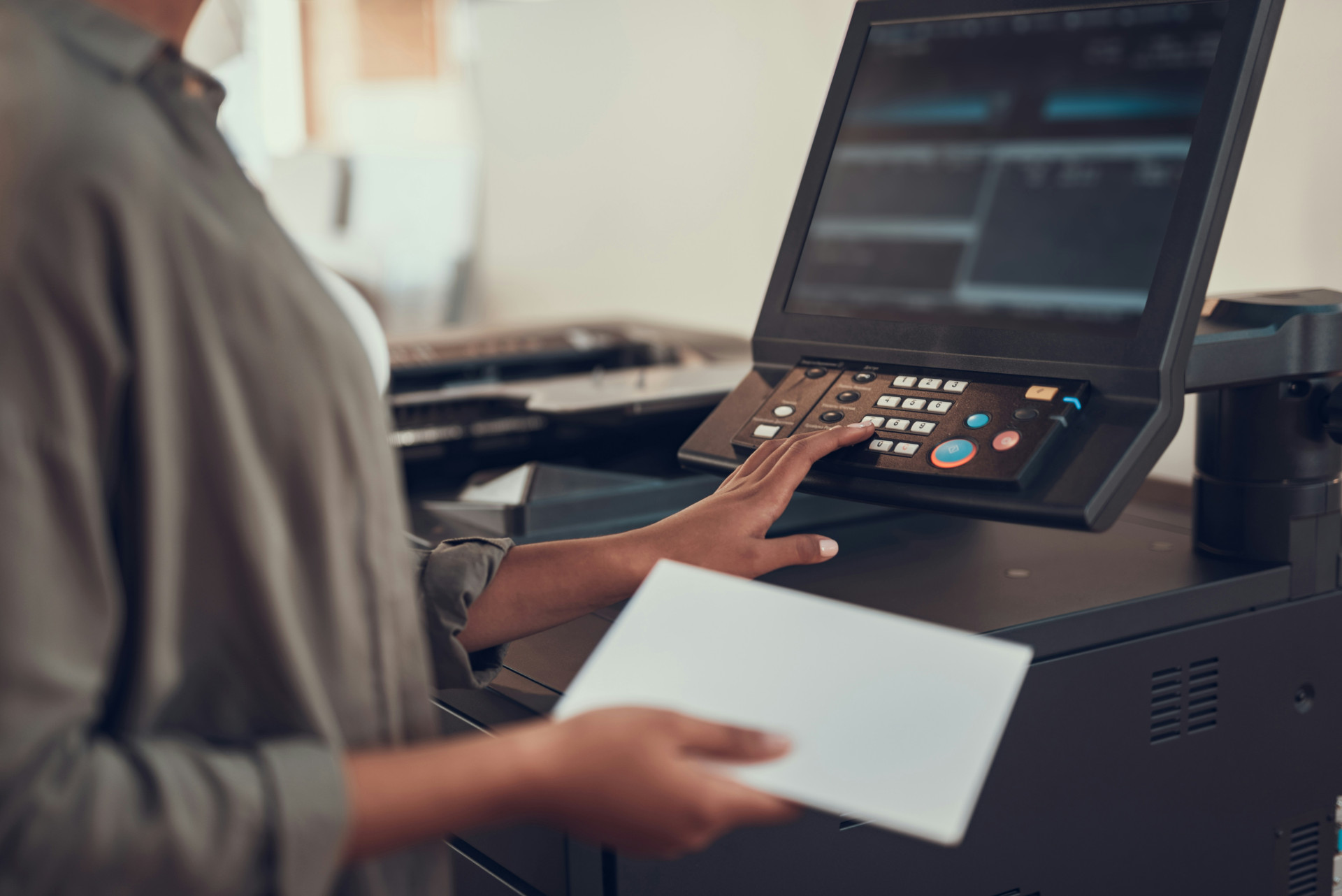
Printers are still an indispensable part of both the home office and the workplace. Whether you need to print reports, photos or labels, there is a wide range of models with different functions and technologies. But how do you choose the right printer when the market ranges from simple inkjet models to advanced multifunction machines with wireless connectivity and cloud integration?
In this article, you will get an overview of the most important factors you should consider when buying a printer, as well as an introduction to the most common types and brands on the market.
The article presents a wide range of printers from different categories and price ranges – from compact home printers to more advanced office solutions. The aim is to provide an overview of functions, features and areas of use so that you can more easily assess which type of printer best suits your needs. The product information is based on publicly available descriptions from manufacturers and distributors and is summarised to provide a clear and informative overview.
Factors to consider when buying a printer
When choosing a printer, it’s not just about price and print speed. It’s important to think about how and how often you’ll use it, as well as the features that can make your life easier.
1. Printing technology
The two most common technologies are inkjet and laser. Inkjet printers use liquid ink and are suitable for colour printing and photos, while laser printers use toner and are ideal for large volumes of text. The choice depends on whether you prioritise quality or efficiency.
2. Printing speed and quality
Print speed is measured in pages per minute (ppm). If you often print large documents, a fast printer can save you time. At the same time, you should evaluate the resolution (dpi), which affects how sharp and detailed your prints will be.
3. Connectivity and compatibility
Modern printers offer many connection options – from USB and Wi-Fi to Bluetooth and cloud services. If you work from multiple devices, wireless printing and mobile apps can be a big advantage. Also make sure the printer is compatible with your operating systems and devices.
4. Multifunctionality
Many printers also function as scanners, copiers and fax machines. These multifunction printers are practical if you want to combine several functions in one device. They usually take up a little more space but can be a good investment for the home office.
5. Operating costs
Even if a printer is cheap to buy, the costs for ink, toner and paper can quickly add up. Therefore, check the cost per page and consider whether you can use refillable or XL cartridges to reduce expenses.
6. Noise level and size
If the printer will be placed in an open office or living room, the noise level can be essential. Compact and quiet models are ideal for small spaces, while larger office printers are often more robust but also noisier.
Products in focus
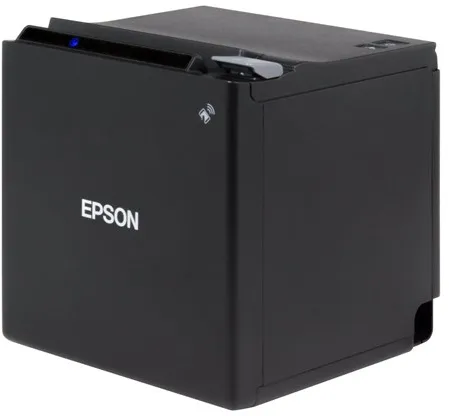
The Epson TM M30II (112A0) is a thermal receipt printer designed for use in POS systems, where fast and reliable printing is essential. It uses thermal line technology to deliver clear, monochrome prints with a resolution of 203 x 203 dpi.
The printer can handle rolls up to 7.95 cm wide and prints at speeds of up to 250 mm per second. It is equipped with an automatic cutter that efficiently separates receipts after printing.
With a compact design of 12.7 × 12.7 × 12.7 cm and a weight of 1.3 kg, the model is suitable for environments with limited space, such as cafés, shops and restaurants. It can be discreetly placed on a counter or wall-mounted with accessories.
The Epson TM M30II offers flexible connectivity options, including USB 2.0, LAN, Bluetooth, NFC and USB host, making it compatible with a wide range of POS systems and mobile devices. It also supports wireless communication and has a built-in print server.
The printer comes with practical accessories such as a power connector cover, cable fixing bracket and spacer. It is built for long life, with a mean time between failures (MTBF) of 360,000 hours.
- High print speed: Up to 250 mm/sec for fast receipt printing.
- Compact design: Only 12.7 cm on each side – ideal for small workspaces.
- Flexible connectivity: Supports USB, LAN, Bluetooth, NFC and USB host.
- Automatic cutter: Efficient and precise receipt cutting.
- Long operating life: MTBF of 360,000 hours for reliable operation.
Pros and cons
- Compact and space-saving design
- High print speed
- Multiple connectivity options, including wireless
- Automatic cutter included
- Low noise level during operation
- Prints only in monochrome (black/white)
- Requires thermal paper to operate
- The product is discontinued and may be difficult to find new
Pros and cons
Pros
- Compact and space-saving design
- High print speed
- Multiple connectivity options, including wireless
- Automatic cutter included
- Low noise level during operation
Cons
- Prints only in monochrome (black/white)
- Requires thermal paper to operate
- The product is discontinued and may be difficult to find new
Pros
- Compact and space-saving design
- High print speed
- Multiple connectivity options, including wireless
- Automatic cutter included
- Low noise level during operation
Cons
- Prints only in monochrome (black/white)
- Requires thermal paper to operate
- The product is discontinued and may be difficult to find new
Specifications
- Manufacturer: Epson
- Model: C31CJ27112A0
- EAN: 8715946688534
- Item number: 2926083
- Printer type: Receipt printer - thermal line - monochrome
- Maximum resolution: 203 x 203 dpi
- Print speed: Up to 250 mm/sec.
- Maximum media size: Roll (7.95 cm)
- Minimum media size: 58 mm
- Maximum custom media size: 80 mm
- Media type: Thermal paper
- Automatic cutter: Yes
- Interfaces: USB 2.0, LAN, Bluetooth, NFC, USB 2.0 host
- Network: Print server
- Connections: 1 x USB 2.0 Type B, 1 x USB 2.0 Type A host, 1 x LAN RJ-45, 1 x cash drawer
- Dimensions (W x D x H): 12.7 × 12.7 × 12.7 cm
- Weight: 1.3 kg
- Colour: Black
- MTBF: 360,000 hours
- Power supply: External power adapter
- Operating temperature: 5–45 °C
- Operating humidity: 10–90 %
- Noise emission: 55 dBA
- Location: United Kingdom
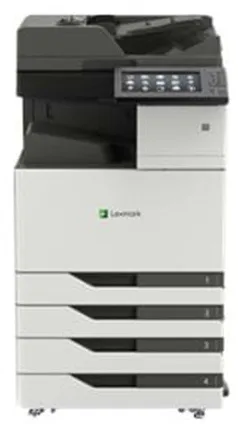
The Lexmark CX923DTE is an advanced multifunction printer that combines printing, copying, scanning and faxing in a single device. It uses colour laser technology and offers a maximum print resolution of up to 1200 x 1200 dpi, ensuring sharp and detailed results in both black and white and colour.
The printer is built for heavy workloads, with a maximum monthly duty cycle of 250,000 pages and a recommended volume between 7,000 and 50,000 pages. It can handle large paper formats such as SRA3 and ARCH B and supports a wide range of media types, including envelopes, labels and banners.
With a print and copy speed of up to 55 pages per minute, both in colour and black and white, it is suitable for busy offices where efficiency is essential. The automatic duplex function allows printing, scanning and copying on both sides of the paper, saving time and paper.
The device is equipped with a 10-inch colour touchscreen that offers intuitive operation and quick access to functions such as scanning to email, FTP or USB. It features USB 2.0, Gigabit LAN and USB host ports and supports Apple AirPrint for easy integration into different network environments.
With a standard paper capacity of 2,150 sheets, expandable up to 5,150 sheets, and a weight of 134.5 kg, the CX923DTE is built for stable operation and long service life. It is ENERGY STAR certified and Blue Angel compliant, reflecting its focus on energy efficiency and environmental friendliness.
- High print speed: Up to 55 pages per minute, both in colour and black and white.
- Large paper capacity: Standard 2,150 sheets, expandable up to 5,150 sheets.
- Advanced media handling: Supports formats up to SRA3 and ARCH B.
- Intuitive operation: 10-inch colour touchscreen with easy access to functions.
- Flexible connectivity: USB 2.0, Gigabit LAN and AirPrint support.
- Eco certification: ENERGY STAR and Blue Angel approvals.
Pros and cons
- High print and copy speed
- Large media capacity and flexible paper handling
- User-friendly touchscreen operation
- Supports large formats and many media types
- Energy efficient and eco-certified
- Large and heavy device, requires adequate space
- Mainly suitable for large offices with high printing demands
- Possible long delivery time when ordered
Pros and cons
Pros
- High print and copy speed
- Large media capacity and flexible paper handling
- User-friendly touchscreen operation
- Supports large formats and many media types
- Energy efficient and eco-certified
Cons
- Large and heavy device, requires adequate space
- Mainly suitable for large offices with high printing demands
- Possible long delivery time when ordered
Pros
- High print and copy speed
- Large media capacity and flexible paper handling
- User-friendly touchscreen operation
- Supports large formats and many media types
- Energy efficient and eco-certified
Cons
- Large and heavy device, requires adequate space
- Mainly suitable for large offices with high printing demands
- Possible long delivery time when ordered
Specifications
- Manufacturer: Lexmark
- Model: CX923DTE
- Model number: 32C0238
- EAN: 0734646647694
- Device type: Multifunction printer (printing, copying, scanning, fax)
- Printing technology: Colour laser
- Maximum print resolution: 1200 x 1200 dpi
- Maximum print speed: 55 pages/min (mono and colour)
- Maximum copy speed: 55 pages/min (mono and colour)
- Optical scan resolution: 600 x 600 dpi
- Fax speed: 33.6 Kbps (Super G3)
- Display: 10" colour touchscreen
- Standard memory: 2 GB (expandable up to 4 GB)
- Monthly duty cycle (maximum): 250,000 pages
- Recommended monthly volume: 7,000 – 50,000 pages
- Standard media capacity: 2,150 sheets
- Maximum media capacity: 5,150 sheets
- Bypass feeder: 150 sheets
- Output tray capacity: 250 sheets
- Supported media sizes: A3, A4, A5, SRA3, ARCH B, Legal, Letter etc.
- Supported media types: Plain paper, envelopes, labels, cardstock, banner
- Automatic duplex: Yes (printing, copying, scanning)
- Interface: USB 2.0, Gigabit LAN, USB host
- AirPrint support: Yes
- Power consumption (operation): 1075 W
- Power consumption (standby): 0.2 W
- Power consumption (sleep): 2.9 W
- Dimensions (W x D x H): 61.5 × 69.7 × 122.5 cm
- Weight: 134.5 kg
- Eco certifications: ENERGY STAR, Blue Angel
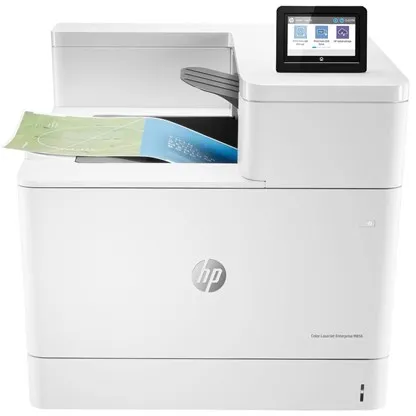
The HP Color LaserJet Enterprise M856dn is a colour laser printer developed for workgroups of between 5 and 20 users. It delivers high-quality prints with a resolution of up to 1200 x 1200 dpi and supports both A3 and A4 formats.
The printer has a print speed of up to 56 pages per minute, both black and white and colour, and is equipped with an automatic duplex function, allowing double-sided printing without manual intervention.
With a total paper capacity of 650 sheets and the possibility of expansion up to 4450 sheets, it is suitable for high-volume printing environments. The recommended monthly volume is 50,000 pages, while the maximum duty cycle reaches 250,000 pages.
The printer is powered by a 1.2 GHz processor and has 1.5 GB of RAM (expandable up to 2 GB). It supports multiple printing languages and protocols, including PCL 5, PCL 6, PostScript 3, and PDF 1.4, ensuring broad compatibility with different systems.
Connectivity options include USB 2.0, Gigabit LAN, and host USB ports, and the printer is compatible with AirPrint, allowing direct use from mobile devices. A 4.3-inch colour touchscreen provides easy access to functions and settings.
HP security features, including support for IPsec, SSL, Kerberos, and 802.1x, protect the printer against unauthorised access. The device is also EPEAT Silver, Blue Angel, and ENERGY STAR certified, reflecting the focus on energy efficiency and environmental protection.
- High print speed: Up to 56 pages per minute, both colour and black and white.
- A3 support: Ability to print in large formats up to 320 x 457.2 mm.
- Automatic duplex: Efficient double-sided printing, standard.
- Advanced security: Supports IPsec, SSL, Kerberos, and 802.1x.
- High paper capacity: Standard 650 sheets, expandable up to 4450 sheets.
- Energy efficiency: Certified EPEAT Silver, Blue Angel, and ENERGY STAR.
Pros and cons
- Fast printing, both colour and black and white
- Supports A3 format and automatic duplex
- Robust construction for high print volumes
- Advanced network and security features
- Energy efficient and environmentally certified
- Large and heavy device, requires adequate space
- Primarily intended for commercial use, not home offices
- High purchase price compared to smaller printers
Pros and cons
Pros
- Fast printing, both colour and black and white
- Supports A3 format and automatic duplex
- Robust construction for high print volumes
- Advanced network and security features
- Energy efficient and environmentally certified
Cons
- Large and heavy device, requires adequate space
- Primarily intended for commercial use, not home offices
- High purchase price compared to smaller printers
Pros
- Fast printing, both colour and black and white
- Supports A3 format and automatic duplex
- Robust construction for high print volumes
- Advanced network and security features
- Energy efficient and environmentally certified
Cons
- Large and heavy device, requires adequate space
- Primarily intended for commercial use, not home offices
- High purchase price compared to smaller printers
Specifications
- Manufacturer: HP
- Model: T3U51A#B19
- EAN: 0193015438279
- Printer type: Workgroup printer - laser - colour
- Number of users: 5–20
- Maximum resolution: 1200 x 1200 dpi
- Print speed: Up to 56 pages/min (mono/colour)
- Processor: 1.2 GHz
- RAM: 1.5 GB (expandable up to 2 GB) DDR3 SDRAM
- Paper capacity: 650 sheets (max. 4450 sheets)
- Media size: A3/Ledger (320 x 457.2 mm)
- Automatic duplex: Yes
- Interfaces: USB 2.0, Gigabit LAN, USB 2.0 host
- AirPrint: Yes
- Display: 4.3" colour touchscreen
- Monthly duty cycle (max.): 250,000 pages
- Recommended monthly volume: 50,000 pages
- Dimensions (W x D x H): 55.6 x 61 x 52 cm
- Weight: 52.3 kg
- Power consumption (operation): 870 W
- Power consumption (standby): 77 W
- Power consumption (sleep mode): 0.7 W
- Environmental certifications: EPEAT Silver, Blue Angel, ENERGY STAR
Zebra Printer Profile Manager Enterprise is a licensed software solution that enables centralised management of up to 50 Zebra printers. The program is developed for the Windows platform and is aimed at organisations that want to streamline the management of their printer fleet.
With a browser-based interface, the user can configure, update, and monitor printers regardless of their location – locally, between buildings, or in different geographic regions. This reduces the need for physical access to printers and minimises maintenance time.
The solution helps increase operational reliability and protect sensitive data, facilitating the implementation and maintenance of security configurations across multiple printers. It is particularly suitable for large companies where printer management can be time-consuming and costly.
- Centralised management: Allows management of up to 50 printers from a single location.
- Browser-based access: Provides flexible management regardless of geographic location.
- Efficient maintenance: Reduces the need for physical access to printers.
- Enhanced security: Supports rapid deployment of security configurations.
- Platform: Compatible with Windows.
Pros and cons
- Brings printer management together in a centralised solution
- Reduces operational costs and working time
- Browser-based access provides flexibility
- Supports secure and consistent printer configuration
- The licence covers only up to 50 printers – larger organisations may require multiple licences
- Requires the Windows platform for installation and operation
Pros and cons
Pros
- Brings printer management together in a centralised solution
- Reduces operational costs and working time
- Browser-based access provides flexibility
- Supports secure and consistent printer configuration
Cons
- The licence covers only up to 50 printers – larger organisations may require multiple licences
- Requires the Windows platform for installation and operation
Pros
- Brings printer management together in a centralised solution
- Reduces operational costs and working time
- Browser-based access provides flexibility
- Supports secure and consistent printer configuration
Cons
- The licence covers only up to 50 printers – larger organisations may require multiple licences
- Requires the Windows platform for installation and operation
Specifications
- Manufacturer: Zebra
- Model: P1094902
- Product type: Licence
- Category: Utilities – printing tasks and printer management
- Number of licences: 1 – 50 printers
- Platform: Windows
- SKU/Item number: 3084672
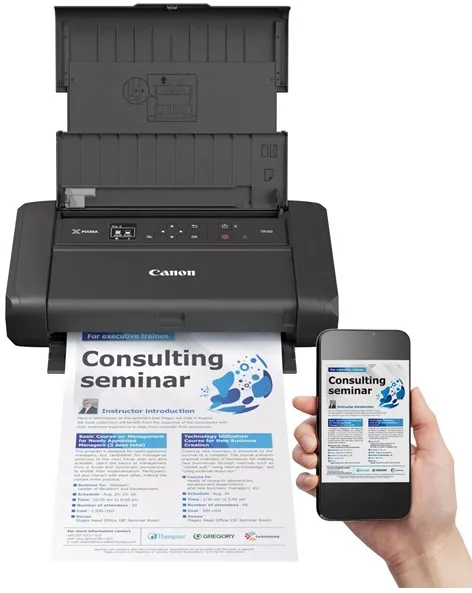
The Canon PIXMA TR150 with battery is a portable colour inkjet printer designed to provide flexible printing wherever you are. Its compact construction and included lithium-ion battery make it suitable for use on the go, while still delivering high-quality results.
The printer uses Canon's FINE ink technology and supports a five-colour system that combines pigmented black with cyan, magenta, yellow and black to produce sharp text and vivid images. The maximum resolution of 4800 x 1200 dpi ensures detailed prints for both documents and photos.
With wireless connectivity via Wi-Fi and support for AirPrint, Google Assistant and IFTTT, the printer can be easily integrated into a modern and mobile work environment. It can also be connected directly via USB-C, and the PictBridge function allows direct printing from compatible cameras.
The paper tray can hold up to 50 sheets, and the printer supports a wide range of media types and sizes, including plain paper, photo paper, envelopes and special media such as magnetic photo paper. Borderless printing is also possible up to A4 format.
Weighing only 2.1 kg and measuring 32.2 × 18.5 × 6.6 cm, the PIXMA TR150 is easy to carry. It is equipped with a 1.44-inch OLED screen that provides a clear view of status and settings during use.
- Portable design: Compact design with integrated battery for printing on the go.
- High print quality: Resolution up to 4800 x 1200 dpi with Canon's FINE ink technology.
- Wireless connectivity: Supports Wi-Fi, AirPrint and Google Assistant.
- Flexible media handling: Borderless printing and support for many paper types.
- User-friendly operation: 1.44-inch OLED screen provides easy access to functions and status.
Pros and cons
- Compact and lightweight design with battery operation
- High print quality for text and images
- Wireless connectivity via Wi-Fi and AirPrint
- Supports many media types and sizes
- Easy operation via OLED screen
- Paper tray limited to 50 sheets
- Print speed is moderate compared to stationary printers
Pros and cons
Pros
- Compact and lightweight design with battery operation
- High print quality for text and images
- Wireless connectivity via Wi-Fi and AirPrint
- Supports many media types and sizes
- Easy operation via OLED screen
Cons
- Paper tray limited to 50 sheets
- Print speed is moderate compared to stationary printers
Pros
- Compact and lightweight design with battery operation
- High print quality for text and images
- Wireless connectivity via Wi-Fi and AirPrint
- Supports many media types and sizes
- Easy operation via OLED screen
Cons
- Paper tray limited to 50 sheets
- Print speed is moderate compared to stationary printers
Specifications
- Manufacturer: Canon
- Model: 4167C026
- EAN: 4549292161823
- Printer type: Photo printer - inkjet printer - colour
- Inkjet technology: Canon FINE (Full-lithography Inkjet Nozzle Engineering)
- Ink type: Canon ChromaLife100
- Colours: 5 (cyan, magenta, yellow, black, pigmented black)
- Maximum resolution: 4800 x 1200 dpi
- Print speed: Up to 9 ipm (black and white), up to 5.5 ipm (colour)
- Connections: USB 2.0 (USB-C), Wi-Fi(n)
- Wireless functionality: AirPrint, Google Assistant, IFTTT, PictBridge
- Paper capacity: 50 sheets
- Supported media sizes: A4, A5, B5, Letter, Legal, 127x127 mm, 89x89 mm, 55x91 mm, 101.6x152.4 mm, 127x177.8 mm, 177.8x254 mm, 203.2x254 mm, 215.9x676 mm
- Borderless printing: Yes
- Screen: 1.44" monochrome OLED
- Battery type: Lithium-ion, 2170 mAh (1 included)
- Power consumption: 8 W (operation), 1.7 W (standby)
- Dimensions (W x D x H): 32.2 × 18.5 × 6.6 cm
- Weight: 2.1 kg
- Noise level: 40.5 dBA
- Operating temperature: 5–35 °C
- Humidity (in use): 10–90% (non-condensing)
- Compatible operating systems: Windows 7 SP1 and later, macOS 10.11.6–10.15, iOS, Android, Windows 10 Mobile
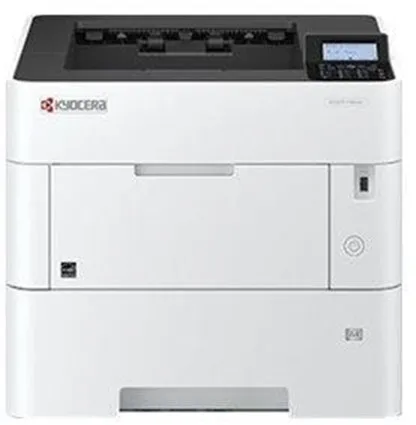
The Kyocera ECOSYS P3155DN is a monochrome laser printer developed for workgroups that require fast and stable printing. It offers up to 55 pages per minute in A4 format and supports automatic duplex printing, making it easy to save paper and reduce costs.
The printer is equipped with a 1.2 GHz ARM Cortex-A9 processor and 512 MB RAM (expandable up to 2.5 GB), ensuring fast processing of complex print jobs. It supports a wide range of protocols and print languages, including PCL, PostScript 3 and PDF Direct.
With a total paper capacity of 600 sheets, expandable up to 2600 sheets, it is suitable for offices with high printing demands. It can handle different media sizes from A6 to Legal and supports paper weights between 60 and 220 g/m².
Connectivity options include USB 2.0, Gigabit LAN and USB host, and the printer is compatible with Apple AirPrint and Mopria certified devices. The internal power supply and low energy consumption in standby and sleep modes make it energy efficient in daily use.
With Kyocera's ECOSYS technology, the printer is designed to reduce operating costs and environmental impact through durable components and low energy consumption.
- High print speed: Up to 55 pages per minute in A4 format.
- Automatic duplex: Allows standard double-sided printing.
- Flexible media handling: Supports up to 2600 sheets and multiple paper formats.
- Energy-efficient operation: Low energy consumption in standby and sleep modes.
- Advanced connectivity: USB 2.0, Gigabit LAN and AirPrint compatibility.
Pros and cons
- Very high print speed
- Automatic duplex function
- Large paper capacity with expansion option
- Low energy consumption and eco-friendly ECOSYS technology
- Supports many protocols and print languages
- Black-and-white printing only
- No standard wireless Wi-Fi connection
- Relatively heavy construction of 16 kg
Pros and cons
Pros
- Very high print speed
- Automatic duplex function
- Large paper capacity with expansion option
- Low energy consumption and eco-friendly ECOSYS technology
- Supports many protocols and print languages
Cons
- Black-and-white printing only
- No standard wireless Wi-Fi connection
- Relatively heavy construction of 16 kg
Pros
- Very high print speed
- Automatic duplex function
- Large paper capacity with expansion option
- Low energy consumption and eco-friendly ECOSYS technology
- Supports many protocols and print languages
Cons
- Black-and-white printing only
- No standard wireless Wi-Fi connection
- Relatively heavy construction of 16 kg
Specifications
- Manufacturer: Kyocera
- Model: ECOSYS P3155DN
- Model number: 1102TR3NL0
- EAN: 0632983051054
- Printer type: Workgroup printer - laser - monochrome
- Print speed: Up to 55 pages/min (A4), 39 pages/min duplex, 82 pages/min (A5)
- Maximum resolution: 1200 x 1200 dpi
- Processor: ARM Cortex-A9 1.2 GHz
- RAM: 512 MB (up to 2560 MB)
- Paper capacity: 600 sheets (max. 2600 sheets)
- Media handling: 100-sheet universal tray, 500-sheet input tray
- Media sizes: A6 to Legal (216 x 356 mm)
- Media weights: 60–220 g/m²
- Connections: USB 2.0, 2 x USB host, Gigabit LAN
- AirPrint: Yes
- Language simulation: PCL 5C, PCL 6, PostScript 3, KPDL3, XPS, PDF Direct etc.
- Power consumption (operation/standby/sleep mode): 675 W / 11 W / 0.5 W
- Noise level (operation/quiet mode): 55.8 dBA / 51.1 dBA
- Dimensions (W x D x H): 38 × 41 × 32 cm
- Weight: 16 kg
- Compliance standards: TUV GS, ISO 9001, ISO 14001, RoHS, ISO 7779
- ENERGY STAR certification: Yes
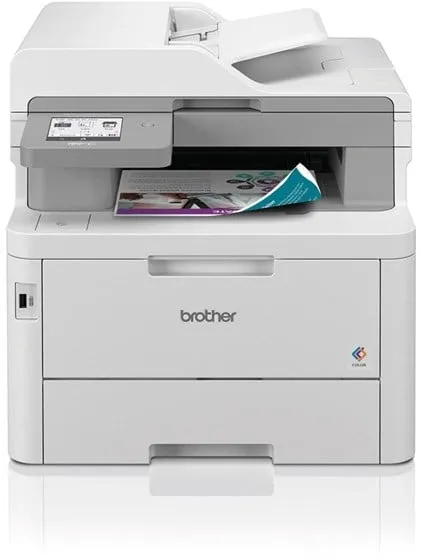
The Brother MFC-L8390CDW is a colour multifunction printer that uses LED technology to deliver sharp prints at speeds of up to 30 pages per minute – both in black and white and in colour. It is designed for office environments where efficiency and flexibility are important factors.
The device combines printing, copying, scanning and faxing in a compact design. The automatic document feeder can handle up to 50 sheets, and the automatic duplex allows printing, copying and scanning on both sides of the paper without manual intervention.
The printer supports a wide range of connections, including USB, Gigabit LAN, Wi‑Fi, NFC and AirPrint, making it easy to integrate into both wired and wireless networks. It can also scan directly to email, network folders, FTP, SharePoint and USB devices.
With a recommended monthly print volume of up to 4000 pages and a standard paper capacity of 280 sheets, the model is suitable for small and medium-sized offices that need a fast and reliable printing solution.
- Fast printing: Up to 30 pages per minute, both black and white and colour.
- Automatic duplex: Supports double-sided printing, copying and scanning.
- Flexible connectivity: USB, Gigabit LAN, Wi‑Fi, NFC and AirPrint.
- Multifunctionality: Printing, copying, scanning and faxing in one device.
- High paper capacity: 280 standard sheets, 30-sheet bypass and 150-sheet output tray.
Pros and cons
- High print speed in both colour and black and white
- Automatic double-sided printing and scanning
- Extensive connectivity options, including Wi‑Fi and NFC
- Suitable for offices with moderate print volumes
- Easy-to-use touchscreen and colour display
- Relatively large and heavy device (approx. 22 kg)
- 600 x 600 dpi resolution is lower than some competing models
- Not optimal for photo printing due to LED technology characteristics
Pros and cons
Pros
- High print speed in both colour and black and white
- Automatic double-sided printing and scanning
- Extensive connectivity options, including Wi‑Fi and NFC
- Suitable for offices with moderate print volumes
- Easy-to-use touchscreen and colour display
Cons
- Relatively large and heavy device (approx. 22 kg)
- 600 x 600 dpi resolution is lower than some competing models
- Not optimal for photo printing due to LED technology characteristics
Pros
- High print speed in both colour and black and white
- Automatic double-sided printing and scanning
- Extensive connectivity options, including Wi‑Fi and NFC
- Suitable for offices with moderate print volumes
- Easy-to-use touchscreen and colour display
Cons
- Relatively large and heavy device (approx. 22 kg)
- 600 x 600 dpi resolution is lower than some competing models
- Not optimal for photo printing due to LED technology characteristics
Specifications
- Manufacturer: Brother
- Model: MFCL8390CDWRE1
- EAN: 4977766824149
- Device type: Multifunction printer (print, copy, scan, fax)
- Printing technology: LED (colour)
- Print speed: Up to 30 pages/min (mono/colour)
- Print resolution: Up to 600 x 600 dpi
- Copy speed: Up to 30 pages/min (mono/colour)
- Copy resolution: Up to 600 x 600 dpi
- Scanning: Optical resolution 1200 x 1200 dpi, interpolated up to 19200 x 19200 dpi
- Document feeder: 50-sheet ADF
- Automatic duplex: Yes (print, copy, scan)
- Paper capacity: 280 standard sheets, 30-sheet bypass, 150-sheet output
- Supported paper sizes: A4, A5, A6, Legal, Letter, B5, C5, DL, etc.
- Connectivity: USB 2.0, USB 2.0 host, Gigabit LAN, Wi‑Fi(n), NFC
- AirPrint: Supported
- Fax: Super G3, 33.6 Kbps, up to 500 pages in memory
- Memory: 512 MB
- Recommended monthly volume: Up to 4000 pages
- Power consumption: 620 W (operation), 70 W (standby), 10 W (sleep)
- Dimensions (W x D x H): 41 × 46.2 × 40.1 cm
- Weight: 21.9 kg
- Eco certification: Blue Angel, Nordic Swan Ecolabel
- Noise level: 48 dBA (in operation)
- Operating temperature: 10–32.5 °C
- Operating humidity: 20–80 %
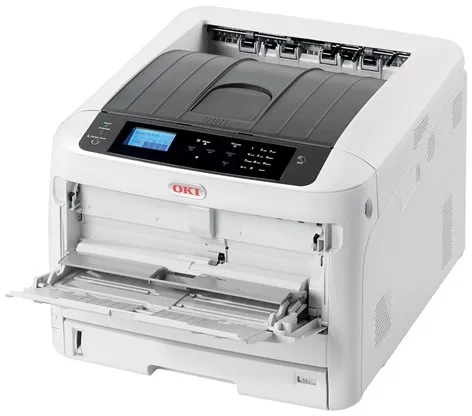
The OKI C824n A3 Color Laser Printer is a colour LED-based printer designed for workgroups that need reliable and fast printing in both A4 and A3 formats. It offers a maximum resolution of 1200 x 600 dpi and can print up to 26 pages per minute, both in black and white and in colour, on A4 paper.
The printer is equipped with a fast warm-up time and energy-efficient fusing technology, which reduces both energy consumption and waiting time. It supports a wide range of sizes and media types, including envelopes and heavier paper types up to 256 g/m².
The C824n has a total paper capacity of 400 sheets, divided between a main tray of 300 sheets and a 100-sheet multipurpose tray. The capacity can be expanded up to a maximum of 2450 sheets with additional trays.
The printer has USB 2.0, Gigabit LAN and USB host connectivity options, making it easy to integrate into existing networks. It supports multiple protocols and print languages, including PCL 5C, PCL 6 and EPSON FX.
With a recommended monthly print volume of 5000 pages and a maximum duty cycle of 75,000 pages, the C824n is suitable for offices with moderate to high printing needs. It comes with four toner cartridges (black, cyan, magenta and yellow), each with a capacity of up to 2500 pages.
- Colour LED technology: Provides sharp prints with low energy consumption.
- A3 compatibility: Supports large format printing up to 297 x 420 mm.
- Fast printing: Up to 26 pages per minute, both colour and black and white (A4).
- Flexible media handling: Supports paper weights from 64 to 256 g/m² and multiple media sizes.
- Network ready: Gigabit LAN and USB 2.0 connections for easy integration into office environments.
Pros and cons
- Compact design for an A3 colour printer
- Fast warm-up and energy-efficient operation
- High print speed in both colour and black and white
- Flexible media handling and expandable paper capacity
- Network connectivity via Gigabit LAN
- Automatic duplex printing requires additional equipment
- The relatively heavy weight of 37 kg can make moving difficult
- No longer in production, which may affect availability
Pros and cons
Pros
- Compact design for an A3 colour printer
- Fast warm-up and energy-efficient operation
- High print speed in both colour and black and white
- Flexible media handling and expandable paper capacity
- Network connectivity via Gigabit LAN
Cons
- Automatic duplex printing requires additional equipment
- The relatively heavy weight of 37 kg can make moving difficult
- No longer in production, which may affect availability
Pros
- Compact design for an A3 colour printer
- Fast warm-up and energy-efficient operation
- High print speed in both colour and black and white
- Flexible media handling and expandable paper capacity
- Network connectivity via Gigabit LAN
Cons
- Automatic duplex printing requires additional equipment
- The relatively heavy weight of 37 kg can make moving difficult
- No longer in production, which may affect availability
Specifications
- Manufacturer: OKI
- Model: C824n
- Model number: 47074204
- EAN: 5031713071631
- Printer type: Workgroup printer - LED - colour
- Maximum resolution: 1200 x 600 dpi
- Print speed: Up to 26 pages/min (A4), 14 pages/min (A3)
- Paper capacity: 400 sheets (standard), up to 2450 sheets (maximum)
- Media weight: 64–256 g/m²
- Connections: USB 2.0, Gigabit LAN, USB 2.0 host
- RAM: 1 GB (maximum)
- Flash memory: 3 GB
- Monthly duty cycle: 75,000 pages (maximum)
- Recommended monthly volume: 5,000 pages
- Dimensions (W x D x H): 44.9 × 55.2 × 36 cm
- Weight: 37 kg
- Power consumption (operation): 680 W
- Power consumption (standby): 13 W
- Power consumption (sleep mode): 1 W
- Supported operating systems: Windows, macOS, Linux
- ENERGY STAR certification: Yes
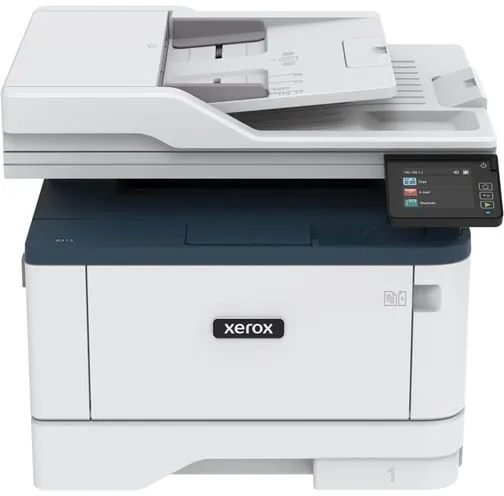
The Xerox B315 (B315V/DNI) is a multifunction printer that brings together printing, copying, scanning and faxing in a single compact device. It is designed for small and medium-sized offices where efficiency and reliability are essential.
The printer offers black-and-white laser printing at speeds of up to 40 pages per minute and a resolution of up to 600 x 600 dpi. It supports automatic duplex printing and has a 50-sheet automatic document feeder, making it easy to handle multi-page documents.
With a standard paper capacity of 350 sheets, expandable up to 900 sheets, the device can handle larger print jobs without frequent refilling. The maximum monthly duty cycle is 80,000 pages, while the recommended volume is around 6,000 pages.
Connectivity options include USB 2.0, LAN, Wi-Fi with Wi-Fi Direct and support for AirPrint, allowing direct printing from mobile devices. The printer is ENERGY STAR and Blue Angel certified and supports Xerox Workflow Central for efficient document management.
Weighing 12.8 kg and measuring 41.1 × 26.6 × 33.9 cm, the Xerox B315 is a compact solution that fits well in office environments with limited space.
- Fast printing: Up to 40 pages per minute in black and white.
- Multifunctional: Combines printing, copying, scanning and faxing in a single device.
- Automatic duplex: Supports double-sided printing and scanning.
- Wireless connectivity: Wi-Fi, Wi-Fi Direct, LAN, USB and AirPrint.
- Large paper capacity: 350 sheets standard, expandable up to 900 sheets.
- Eco certification: ENERGY STAR and Blue Angel approved.
Pros and cons
- High print speed of up to 40 pages per minute
- Built-in Wi-Fi and AirPrint support
- Automatic duplex for printing and scanning
- Robust construction with high monthly capacity
- Compact design suitable for small offices
- Black-and-white printing only
- Not ideal for very high-volume printing environments
Pros and cons
Pros
- High print speed of up to 40 pages per minute
- Built-in Wi-Fi and AirPrint support
- Automatic duplex for printing and scanning
- Robust construction with high monthly capacity
- Compact design suitable for small offices
Cons
- Black-and-white printing only
- Not ideal for very high-volume printing environments
Pros
- High print speed of up to 40 pages per minute
- Built-in Wi-Fi and AirPrint support
- Automatic duplex for printing and scanning
- Robust construction with high monthly capacity
- Compact design suitable for small offices
Cons
- Black-and-white printing only
- Not ideal for very high-volume printing environments
Specifications
- Manufacturer: Xerox
- Model: B315V_DNI
- Item number: 3066704
- EAN: 0095205069419
- Device type: Multifunction printer (print, copy, scan, fax)
- Printing technology: Laser - monochrome
- Maximum print speed: Up to 40 pages/min (A4)
- Print resolution: Up to 600 x 600 dpi
- Copy speed: Up to 39 pages/min
- Scanning: CIS, 600 x 600 dpi, duplex
- Fax: Super G3, 33.6 Kbps, 600 x 600 dpi
- Automatic document feeder: 50 sheets
- Paper capacity: 350 sheets (standard), 900 sheets (maximum)
- Bypass feeder: 100 sheets
- Output tray: 100 sheets
- Connectivity: USB 2.0, USB host, LAN, Wi-Fi (Wi-Fi Direct), AirPrint
- Monthly duty cycle (maximum): 80,000 pages
- Recommended monthly volume: 6,000 pages
- Toner yield: Up to 2,500 pages (black, ISO/IEC 19752)
- Memory: 512 MB
- Power consumption (operation/standby/sleep): 580 W / 7.5 W / 1.1 W
- Dimensions (W x D x H): 41.1 × 26.6 × 33.9 cm
- Weight: 12.8 kg
- Environmental standards: ENERGY STAR, Blue Angel
- Noise level: 67.1 dBA (in operation)
- Operating temperature: 10–32.2 °C
- Operating humidity: 8–80% RH
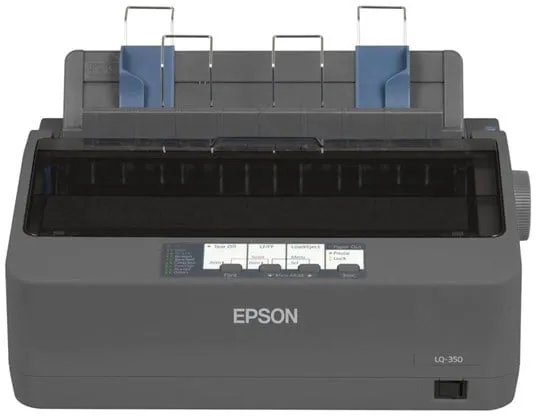
The Epson LQ-350 is a monochrome 24-pin dot matrix printer designed to provide stable and economical printing in professional environments. It is suitable for tasks that require carbon copy paper or continuous forms.
The printer has a print speed of up to 347 characters per second in high-speed draft mode and supports parallel, serial, and USB 2.0 connections, making it easy to integrate into existing systems.
With a power consumption of only 1.3 watts in standby mode and 22 watts during operation, the model is ENERGY STAR certified for its energy efficiency. It comes with a black ribbon that can print up to 2.5 million characters, contributing to low operating costs.
The compact size and integrated cable management system make the printer suitable for offices and small workstations where space is limited.
- High print speed: Up to 347 characters per second in high-speed draft mode.
- Low power consumption: Only 1.3 W in standby mode and 22 W during operation.
- Flexible connectivity: Parallel, serial, and standard USB 2.0.
- Long ribbon life: Up to 2.5 million characters per ribbon.
- Compact design: Fits easily on a desk and has practical cable management.
Pros and cons
- Reliable and economical in use
- Low power consumption and ENERGY STAR certification
- Supports multiple connection types
- Long ribbon life and high MTBF
- Suitable for carbon copy paper and forms
- Limited to monochrome printing
- Dot-matrix technology is slower and noisier than modern printers
Pros and cons
Pros
- Reliable and economical in use
- Low power consumption and ENERGY STAR certification
- Supports multiple connection types
- Long ribbon life and high MTBF
- Suitable for carbon copy paper and forms
Cons
- Limited to monochrome printing
- Dot-matrix technology is slower and noisier than modern printers
Pros
- Reliable and economical in use
- Low power consumption and ENERGY STAR certification
- Supports multiple connection types
- Long ribbon life and high MTBF
- Suitable for carbon copy paper and forms
Cons
- Limited to monochrome printing
- Dot-matrix technology is slower and noisier than modern printers
Specifications
- Manufacturer: Epson
- Model: C11CC25001
- EAN: 8715946521886
- Printer type: Personal printer - dot-matrix - 24 pins - monochrome
- Print speed: Up to 347 characters/sec (high-speed draft), 260 characters/sec (draft), 86 characters/sec (letter quality)
- Interfaces: Parallel, USB 2.0, serial
- RAM: 128 KB built-in
- Language simulation: EPSON ESC/P 2, IBM 2390 Plus
- Media types: Envelopes, labels, plain paper, continuous forms
- Max. multiple sheets: 4
- Connections: 1 x parallel, 1 x serial, 1 x USB 2.0 (Type B)
- Consumable: 1 x black ribbon – up to 2.5 million characters
- MTBF: 10,000 hours
- Power supply: Internal
- Power consumption (operation): 22 W
- Power consumption (standby): 1.3 W
- Software: Drivers & Utilities, EPSON Status Monitor
- Supported operating systems: Windows 2000, XP, Vista, 7, 8
- ENERGY STAR certification: Yes
- Operating temperature: 5–35 °C
- Humidity (in use): 10–80 %
- Noise level (in operation): 53 dBA
- Dimensions (W x D x H): 34.8 × 27.5 × 15.4 cm
- Weight: 4.1 kg
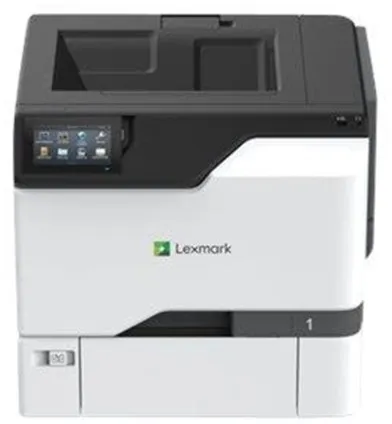
The Lexmark CS730de is a workgroup printer that delivers high-quality colour prints with a resolution of up to 1200 x 1200 dpi. It is equipped with a 1.2 GHz processor and 1 GB RAM, ensuring fast processing of complex print jobs.
The printer supports automatic duplex printing and can handle a total paper capacity of 650 sheets, divided between a 100-sheet multipurpose tray and a 550-sheet input tray. The maximum paper capacity can be expanded up to 2850 sheets, making it suitable for offices with high printing demands.
The CS730de offers print speeds of up to 40 pages per minute, both in black and white and in colour, and the first page is printed within seconds. It supports a wide range of media types, including envelopes, labels and banner paper.
Connectivity options include USB 2.0, USB host and Gigabit LAN, and the printer is compatible with AirPrint, making it easy to print directly from mobile devices. The integrated touchscreen provides intuitive operation and quick access to printer functions.
With a recommended monthly print volume between 1,500 and 15,000 pages and a maximum duty cycle of 120,000 pages, the model is built to withstand continuous use in busy office environments.
- High print speed: Up to 40 pages per minute, both black and white and colour.
- Automatic duplex: Efficient double-sided printing, standard.
- Professional colour quality: 1200 x 1200 dpi resolution with 4800 Color Quality technology.
- Flexible media handling: 650-sheet capacity, expandable up to 2850 sheets.
- Network ready: Gigabit LAN, USB 2.0 and AirPrint support.
- User-friendly operation: Integrated touchscreen for easy access to functions.
Pros and cons
- Fast printing, both colour and black and white
- Automatic duplex function
- High resolution and professional colour reproduction
- Robust construction for office use
- Flexible connectivity options, including AirPrint
- Relatively heavy at 32 kg, requires a fixed placement
- Not standard wireless – requires wired network
- Mainly oriented towards business use, not home
Pros and cons
Pros
- Fast printing, both colour and black and white
- Automatic duplex function
- High resolution and professional colour reproduction
- Robust construction for office use
- Flexible connectivity options, including AirPrint
Cons
- Relatively heavy at 32 kg, requires a fixed placement
- Not standard wireless – requires wired network
- Mainly oriented towards business use, not home
Pros
- Fast printing, both colour and black and white
- Automatic duplex function
- High resolution and professional colour reproduction
- Robust construction for office use
- Flexible connectivity options, including AirPrint
Cons
- Relatively heavy at 32 kg, requires a fixed placement
- Not standard wireless – requires wired network
- Mainly oriented towards business use, not home
Specifications
- Manufacturer: Lexmark
- Model: CS730de
- Model number: 47C9020
- EAN: 0734646717380
- Printer type: Workgroup printer - laser - colour
- Resolution: 1200 x 1200 dpi (black and white and colour)
- Print speed: Up to 40 pages/min (black and white and colour)
- Processor: 1.2 GHz
- RAM: 1 GB (max. 1 GB)
- Automatic duplex: Yes
- Interfaces: USB 2.0, USB 2.0 host, Gigabit LAN
- AirPrint: Yes
- Paper capacity: 650 sheets (max. 2850 sheets)
- Media sizes: A4, A5, A6, Legal, Letter, Executive, Folio, JIS B5, Statement, Oficio
- Monthly duty cycle (max.): 120,000 pages
- Recommended monthly volume: 1,500 – 15,000 pages
- Power consumption (operation): 610 W
- Power consumption (standby): 57 W
- Power consumption (sleep mode): 1 W
- Dimensions (W x D x H): 47.9 × 48.9 × 41.3 cm
- Weight: 32 kg
- ENERGY STAR certification: Yes
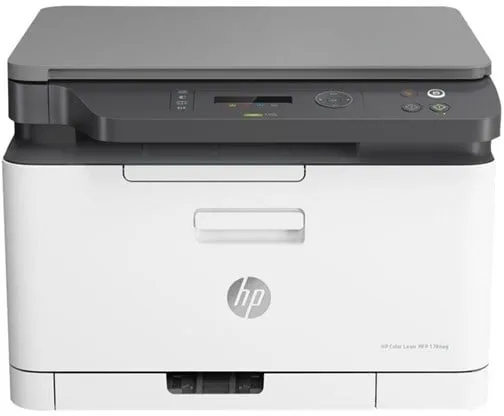
The HP Color Laser MFP 178nwg is a multifunction printer that combines printing, scanning and copying in a single device. It is designed for users who want a compact and efficient solution for daily office use, where colour and black-and-white prints are produced quickly and accurately.
The printer uses laser technology and offers a maximum print speed of up to 18 pages per minute in black and white and 4 pages per minute in colour. It supports a maximum resolution of 600 x 600 dpi, providing sharp and precise results for both text and graphics.
The device has built-in Wi-Fi, LAN and USB 2.0, allowing direct printing from a computer, mobile phone or network. It supports AirPrint, Mopria and Google Cloud Print, making wireless printing from mobile devices easily accessible.
With a paper capacity of 150 sheets and an output tray of 50 sheets, the printer is suitable for small office environments. The recommended monthly print volume is between 100 and 500 pages, while the maximum duty cycle is 20,000 pages per month.
The HP Color Laser MFP 178nwg is ENERGY STAR certified and Blue Angel compliant, meaning it meets environmental standards for energy efficiency. It comes with black, cyan, magenta and yellow toner cartridges, as well as a drum, ready for immediate use.
- Multifunction device: Combines printing, scanning and copying in a single compact unit.
- Wireless connectivity: Supports Wi-Fi, LAN and USB 2.0 for flexible use.
- Mobile printing: Compatible with AirPrint, Mopria and Google Cloud Print.
- High print speed: Up to 18 pages/minute black and white and 4 pages/minute colour.
- Eco certification: ENERGY STAR and Blue Angel approved for energy-efficient operation.
Pros and cons
- Compact design, suitable for small offices
- Wireless and wired network connection
- Supports mobile printing through multiple platforms
- Good print quality for text and graphics
- Low power consumption in sleep mode
- Relatively low colour print speed
- Limited paper capacity for large print jobs
- Not intended for very high print volumes
Pros and cons
Pros
- Compact design, suitable for small offices
- Wireless and wired network connection
- Supports mobile printing through multiple platforms
- Good print quality for text and graphics
- Low power consumption in sleep mode
Cons
- Relatively low colour print speed
- Limited paper capacity for large print jobs
- Not intended for very high print volumes
Pros
- Compact design, suitable for small offices
- Wireless and wired network connection
- Supports mobile printing through multiple platforms
- Good print quality for text and graphics
- Low power consumption in sleep mode
Cons
- Relatively low colour print speed
- Limited paper capacity for large print jobs
- Not intended for very high print volumes
Specifications
- Manufacturer: HP
- Model: 6HU08A#B19
- EAN: 0193808830464
- Device type: Multifunction printer
- Printing technology: Laser (colour)
- Maximum print speed: Up to 18 ppm (mono) / 4 ppm (colour)
- Maximum print resolution: 600 x 600 dpi
- Maximum copy speed: 14 ppm (mono) / 4 ppm (colour)
- Optical scan resolution: 600 x 600 dpi
- Standard memory: 128 MB
- Paper capacity: 150 sheets (input), 50 sheets (output)
- Supported media sizes: A4, A5, A6, JIS B5, Oficio, 216 x 356 mm
- Supported media types: Plain paper, labels, recycled paper, thick paper, coloured paper, etc.
- Interface: USB 2.0, LAN, Wi-Fi(n)
- AirPrint compatible: Yes
- Power consumption (operation/standby/sleep): 300 W / 38 W / 1.9 W
- Dimensions (W x D x H): 40.6 × 36.3 × 28.87 cm
- Weight: 12.94 kg
- Environmental standards: ENERGY STAR, Blue Angel
- Monthly duty cycle (max.): 20,000 pages
- Recommended monthly volume: 100–500 pages
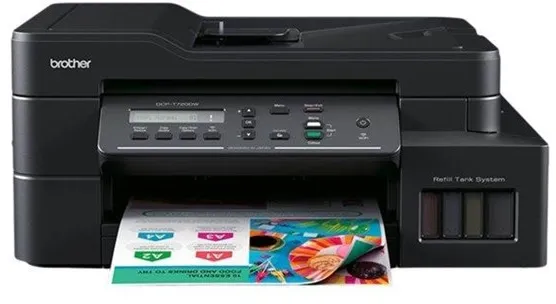
The Brother DCP-T720DW All in One is a colour inkjet printer that combines printing, scanning and copying in a single device. It is designed for users who need a reliable printer with low cost per page and flexible connectivity options.
The printer uses a four-colour ink system, with separate tanks for cyan, magenta, yellow and black, allowing individual replacement or refilling of colours. It supports automatic duplex printing and can handle media sizes up to A4 and Letter.
With Wi-Fi wireless connection and AirPrint support, the device can be easily integrated into the home network and used from both computers and mobile devices. The optical scanning resolution of 1200 x 2400 dpi ensures clear results when digitising documents and images.
The DCP-T720DW has a standard 150-sheet paper tray, a 20-sheet automatic document feeder and a 50-sheet output tray. Its compact design and weight of 8.7 kg make it suitable for small offices and confined workspaces.
- Multifunction device: Combines printing, scanning and copying in a single compact unit.
- Refillable ink tanks: Reduces operating costs and waste compared to traditional cartridges.
- Automatic duplex: Prints on both sides of the paper to save time and paper.
- Wireless connectivity: Supports Wi-Fi and AirPrint for easy printing from multiple devices.
- High print quality: Resolution up to 1200 x 6000 dpi for black and white and colour.
Pros and cons
- Low cost per page thanks to refillable ink tanks
- Wireless printing via Wi-Fi and AirPrint
- Automatic duplex printing
- Good print speed for its class
- Compact design with multiple functions in one device
- Not intended for very high print volumes
- No fax function
- The noise level of 50 dBA may be noticeable in quiet environments
Pros and cons
Pros
- Low cost per page thanks to refillable ink tanks
- Wireless printing via Wi-Fi and AirPrint
- Automatic duplex printing
- Good print speed for its class
- Compact design with multiple functions in one device
Cons
- Not intended for very high print volumes
- No fax function
- The noise level of 50 dBA may be noticeable in quiet environments
Pros
- Low cost per page thanks to refillable ink tanks
- Wireless printing via Wi-Fi and AirPrint
- Automatic duplex printing
- Good print speed for its class
- Compact design with multiple functions in one device
Cons
- Not intended for very high print volumes
- No fax function
- The noise level of 50 dBA may be noticeable in quiet environments
Specifications
- Manufacturer: Brother
- Model: DCPT720DWYJ1
- EAN: 4977766807258
- Device type: Multifunction printer
- Printing technology: Inkjet (colour, 4 colours)
- Maximum print speed: Up to 17 ppm (mono) / 16.5 ppm (colour)
- Maximum print resolution: Up to 1200 x 6000 dpi
- Scanning resolution: 1200 x 2400 dpi (optical)
- Standard memory: 128 MB
- Paper tray: 150 sheets
- Automatic document feeder: 20 sheets
- Output tray: 50 sheets
- Bypass feeder: 1 sheet
- Automatic duplex: Yes
- Interface: USB 2.0, Wi-Fi(n)
- AirPrint compatible: Yes
- Supported media sizes: A4, Letter, A5, A6, Executive, 102x152 mm, 127x203 mm, 89x127 mm
- Supported envelope sizes: DL, C5, Com-10, Monarch
- Supported media weight: 64–300 g/m²
- Office equipment functions: Scan to email, image and OCR
- Included ink tanks: BTD60BK (black, up to 7500 pages), BT5000C/M/Y (cyan, magenta, yellow, up to 5000 pages each)
- Dimensions (W x D x H): 43.5 × 38 × 19.5 cm
- Weight: 8.7 kg
- Noise level: 50 dBA (in operation)
- Supported operating systems: Windows 7–10, Windows Server 2008–2019, macOS 10.14–10.15
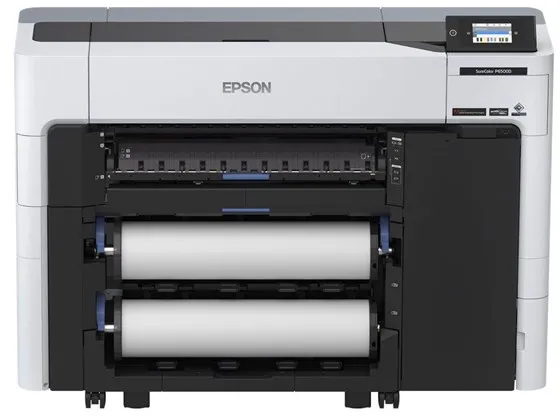
The Epson SureColor SC-P6500D is a 24-inch large format printer that uses six separate colours to deliver precise and vibrant prints. It is developed for professional environments such as photo studios, retail stores and print labs, where both quality and efficiency are essential.
The printer uses Epson PrecisionCore MicroTFP technology and UltraChrome PRO6 ink, which ensures consistent colour reproduction and fine details. It supports borderless printing and can handle different types and sizes of media, including roll media up to 60.9 cm wide.
With the dual roll function, the user can load two different types or sizes of media and allow the printer to switch automatically between them. This increases flexibility and reduces the need for manual handling.
The SC-P6500D has an integrated touchscreen, wireless connection via Wi-Fi(ac) and supports AirPrint, making it easy to integrate into both Mac and Windows-based work environments. It offers a maximum resolution of 1200 x 2400 dpi and a print speed of up to 18 m² per hour for photo tasks.
The printer is equipped with advanced features such as Nozzle Detection Technology and automatic media feeding, contributing to stable operation and low maintenance.
- 6-colour ink system: Provides accurate colour reproduction with cyan, magenta, yellow, grey, photo black and matte black.
- Dual roll function: Allows automatic switching between two types or sizes of media.
- High resolution: Prints up to 1200 x 2400 dpi for sharp and detailed results.
- Wireless connectivity: Supports USB 2.0, Gigabit LAN and Wi-Fi(ac), as well as AirPrint.
- Compact design: Fits into professional environments with limited space.
Pros and cons
- Professional print quality with 6-colour UltraChrome PRO6 ink
- Dual roll function for flexible media handling
- Supports both wireless and wired connections
- Touchscreen for easy operation
- Compatible with MacOS and Windows
- Relatively heavy weight of over 118 kg requires a fixed installation
- Print speed may be lower at maximum quality
- Mainly intended for professional users, not regular offices
Pros and cons
Pros
- Professional print quality with 6-colour UltraChrome PRO6 ink
- Dual roll function for flexible media handling
- Supports both wireless and wired connections
- Touchscreen for easy operation
- Compatible with MacOS and Windows
Cons
- Relatively heavy weight of over 118 kg requires a fixed installation
- Print speed may be lower at maximum quality
- Mainly intended for professional users, not regular offices
Pros
- Professional print quality with 6-colour UltraChrome PRO6 ink
- Dual roll function for flexible media handling
- Supports both wireless and wired connections
- Touchscreen for easy operation
- Compatible with MacOS and Windows
Cons
- Relatively heavy weight of over 118 kg requires a fixed installation
- Print speed may be lower at maximum quality
- Mainly intended for professional users, not regular offices
Specifications
- Manufacturer: Epson
- Model: C11CJ49301A0
- EAN: 8715946699585
- Printer type: 24" large format printer - inkjet printer - colour
- Inkjet technology: Epson PrecisionCore MicroTFP
- Ink type: Epson UltraChrome PRO6
- Colours: 6 (cyan, magenta, yellow, grey, photo black, matte black)
- Maximum resolution: 1200 x 2400 dpi
- Print speed: Up to 2 pages/min (A1) or 18 m²/hour (photo)
- Connections: USB 2.0, Gigabit LAN, Wi-Fi(ac)
- AirPrint: Yes
- RAM: 4 GB
- Supported media sizes: A5 to A1, Roll (43.1 cm / 60.9 cm)
- Maximum media thickness: 0.1–1.5 mm
- Power consumption: 70 W (operation), 0.3 W (standby)
- Dimensions (W x D x H): 136.5 × 49.9 × 97.5 cm
- Weight: 118.1 kg
- Network security: IPsec, AES-128/256, WPA3, LDAP, SSL, TLS
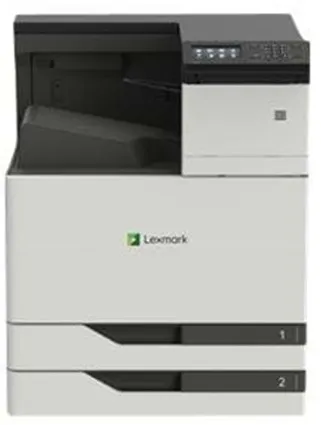
The Lexmark CS921DE is a colour laser printer developed for workgroups that need fast and reliable printing, both black and white and colour. It can handle large print volumes and supports formats up to SRA3, making it suitable for both standard documents and larger graphic tasks.
The printer offers a resolution of up to 1200 x 1200 dpi and uses Lexmark 2400 IQ image enhancement technology for sharp and precise results. The built-in duplex function allows automatic double-sided printing, reducing paper consumption.
With a print speed of up to 35 pages per minute, both black and white and colour, and a first page out in just 7 seconds, it is optimised for efficiency in busy office environments. The 4.3-inch colour touchscreen provides easy access to printer functions.
The CS921DE has a standard paper capacity of 1150 sheets, distributed across two 500-sheet trays and a 150-sheet multipurpose tray. The capacity can be expanded up to 6650 sheets with additional accessories. The printer supports a wide range of media types and sizes, including envelopes, labels, and banner paper.
Connectivity options include USB 2.0, Gigabit LAN, and USB host, and the printer is compatible with AirPrint, allowing direct printing from mobile devices. It is powered by a 1.2 GHz processor and comes with 1 GB of RAM, expandable to 3 GB.
The Lexmark CS921DE is ENERGY STAR and Blue Angel certified, reflecting its energy-efficient operation. It is designed for a maximum monthly duty cycle of 150,000 pages and a recommended volume of 4,000–20,000 pages, making it suitable for continuous use in professional environments.
- High print speed: Up to 35 pages per minute, both black and white and colour.
- High media capacity: Standard 1150 sheets, expandable up to 6650 sheets.
- Professional resolution: 1200 x 1200 dpi with 2400 IQ image enhancement.
- Automatic duplex: Standard double-sided printing.
- Flexible connectivity: USB 2.0, Gigabit LAN, and AirPrint support.
- User-friendly operation: 4.3" colour touchscreen for easy navigation.
- Energy efficiency: ENERGY STAR and Blue Angel certified.
Pros and cons
- Fast printing, both colour and black and white
- Supports large paper sizes up to SRA3
- Robust construction for high print volumes
- Automatic duplex and large paper capacity
- AirPrint compatibility and network connectivity
- Large and heavy device, requires adequate space
- Primarily intended for commercial use, not home offices
- Higher energy consumption during operation compared to smaller printers
Pros and cons
Pros
- Fast printing, both colour and black and white
- Supports large paper sizes up to SRA3
- Robust construction for high print volumes
- Automatic duplex and large paper capacity
- AirPrint compatibility and network connectivity
Cons
- Large and heavy device, requires adequate space
- Primarily intended for commercial use, not home offices
- Higher energy consumption during operation compared to smaller printers
Pros
- Fast printing, both colour and black and white
- Supports large paper sizes up to SRA3
- Robust construction for high print volumes
- Automatic duplex and large paper capacity
- AirPrint compatibility and network connectivity
Cons
- Large and heavy device, requires adequate space
- Primarily intended for commercial use, not home offices
- Higher energy consumption during operation compared to smaller printers
Specifications
- Manufacturer: Lexmark
- Model: CS921DE (32C0012)
- EAN: 734646647656
- Printer type: Workgroup printer - colour laser
- Maximum resolution: 1200 x 1200 dpi
- Print speed: Up to 35 pages/min (black and white and colour)
- First page printed: 7 seconds
- Processor: 1.2 GHz
- RAM: 1 GB (expandable up to 3 GB)
- Paper capacity: 1150 sheets (max. 6650 sheets)
- Maximum media size: ARCH B (304.8 x 457.2 mm), SRA3 (320 x 450 mm)
- Media weight: 60–256 g/m²
- Automatic duplex: Yes
- Connections: USB 2.0, Gigabit LAN, USB 2.0 host
- Display: 4.3" colour touchscreen
- AirPrint: Yes
- Monthly duty cycle (max.): 150,000 pages
- Recommended monthly volume: 4,000–20,000 pages
- Power consumption (operation): 575 W
- Power consumption (standby): 0.2 W
- Power consumption (sleep mode): 2.2 W
- Dimensions (W x D x H): 61.5 × 69.3 × 78 cm
- Weight: 88.5 kg
- Certifications: ENERGY STAR, Blue Angel
- Operating noise level: 51 dBA
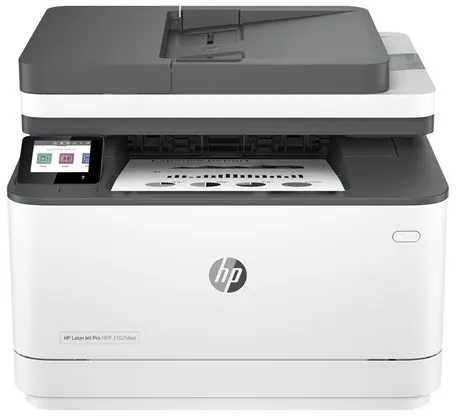
The HP LaserJet Pro MFP 3102fdwe is a monochrome laser printer designed for small and medium-sized offices where efficiency and reliability are essential. It can print, scan, copy, and send faxes from the same device, saving space and simplifying workflows.
The printer offers up to 33 pages per minute and supports automatic duplex printing, so documents can be printed on both sides without manual intervention. The optical scan resolution of 1200 x 1200 dpi ensures clear results when digitising documents.
The device has a 2.7-inch colour touchscreen that makes operation intuitive. It supports both wired and wireless connections via LAN, Wi-Fi(n), and Bluetooth LE, and is compatible with AirPrint and Mopria for easy printing from mobile devices.
With a standard 250-sheet paper tray, a 50-sheet automatic document feeder, and a 150-sheet output tray, the printer is suitable for daily use with moderate print volumes. The recommended monthly volume is between 350 and 2500 pages.
As an HP+ model, it requires an HP account, an internet connection, and the use of original HP cartridges. The printer is ENERGY STAR certified and equipped with technologies such as HP Auto-Off and JetIntelligence for energy-efficient and precise operation.
- Fast printing: Up to 33 pages per minute in black and white.
- Multifunctional: Prints, copies, scans, and faxes in one device.
- Wireless connectivity: Supports LAN, Wi-Fi(n), and Bluetooth LE.
- Automatic duplex: Saves paper with double-sided printing.
- User-friendly operation: 2.7" colour touchscreen with intuitive navigation.
- HP+ enabled: Integrated with cloud-based printing solutions and HP security features.
Pros and cons
- High print speed and efficient operation
- Combines multiple functions in one compact device
- Wired and wireless network connection
- Automatic duplex printing
- ENERGY STAR certification for low power consumption
- Requires an HP account and original HP cartridges as part of the HP+ programme
- Black-and-white printing only – not suitable for colour documents
Pros and cons
Pros
- High print speed and efficient operation
- Combines multiple functions in one compact device
- Wired and wireless network connection
- Automatic duplex printing
- ENERGY STAR certification for low power consumption
Cons
- Requires an HP account and original HP cartridges as part of the HP+ programme
- Black-and-white printing only – not suitable for colour documents
Pros
- High print speed and efficient operation
- Combines multiple functions in one compact device
- Wired and wireless network connection
- Automatic duplex printing
- ENERGY STAR certification for low power consumption
Cons
- Requires an HP account and original HP cartridges as part of the HP+ programme
- Black-and-white printing only – not suitable for colour documents
Specifications
- Manufacturer: HP
- Model: 3G630E#B19
- EAN: 0195122461935
- Printing technology: Laser (monochrome)
- Maximum print speed: Up to 33 pages/minute
- Maximum print resolution: 1200 x 1200 dpi
- Copy speed: Up to 33 pages/minute
- Copy resolution: Up to 300 dpi
- Scanning: CIS, optical resolution 1200 x 1200 dpi
- Fax speed: 33.6 Kbps
- Paper handling: 250-sheet input tray, 150-sheet output tray, 50-sheet ADF
- Automatic duplex: Yes
- Display: 2.7" colour touchscreen
- Memory: 512 MB
- Connectivity: LAN, Wi-Fi(n), Bluetooth LE
- AirPrint and Mopria: Supported
- Recommended monthly volume: 350–2500 pages
- Maximum duty cycle: 50,000 pages per month
- Power consumption (operation/standby/sleep): 436 W / 4.5 W / 1.31 W
- Dimensions (W x D x H): 41.8 × 39.82 × 31.32 cm
- Weight: 10.5 kg
- Environmental standard: ENERGY STAR certification
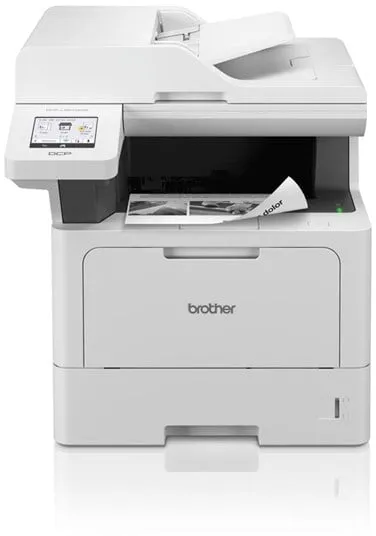
The Brother DCP-L5510DW is a monochrome multifunction printer that combines printing, scanning and copying in a single compact device. It is designed for office environments where speed and efficiency are essential and offers up to 48 pages per minute in black and white.
The printer supports automatic duplex printing and has a 50-sheet automatic document feeder, making it easy to handle multi-page documents. The optical scanning resolution of 1200 x 1200 dpi ensures clear results when digitising documents.
With both wired and wireless connectivity – including USB, Gigabit LAN, Wi-Fi (n) and NFC – the device can be easily integrated into different network environments. It also supports AirPrint and multiple scanning and printing functions directly to email, FTP, SharePoint and USB.
Paper handling includes a standard 250-sheet tray, a 100-sheet bypass tray and a 150-sheet output tray, providing flexibility for different types and formats of media. The recommended monthly volume of 5,000 pages makes it suitable for regular office use.
The printer is designed with a focus on security and energy efficiency, including support for modern network protocols, low power consumption in sleep mode and environmental certifications such as Blue Angel and Nordic Swan.
- High print speed: Up to 48 pages per minute in black and white.
- Automatic duplex: Double-sided printing as a standard feature.
- Flexible connectivity: Supports USB, LAN, Wi-Fi, NFC and AirPrint.
- Efficient document management: 50-sheet ADF and 250-sheet paper tray.
- Secure and eco-friendly: Advanced security features and environmental certifications.
Pros and cons
- Fast printing and copying up to 48 pages per minute
- Automatic duplex printing
- Wide range of connectivity options, including wireless and NFC
- High paper and document capacity
- Environmentally certified and energy efficient
- Monochrome printing only – not suitable for colour needs
- Relatively large and heavy device compared to smaller printers
Pros and cons
Pros
- Fast printing and copying up to 48 pages per minute
- Automatic duplex printing
- Wide range of connectivity options, including wireless and NFC
- High paper and document capacity
- Environmentally certified and energy efficient
Cons
- Monochrome printing only – not suitable for colour needs
- Relatively large and heavy device compared to smaller printers
Pros
- Fast printing and copying up to 48 pages per minute
- Automatic duplex printing
- Wide range of connectivity options, including wireless and NFC
- High paper and document capacity
- Environmentally certified and energy efficient
Cons
- Monochrome printing only – not suitable for colour needs
- Relatively large and heavy device compared to smaller printers
Specifications
- Manufacturer: Brother
- Model: DCPL5510DWRE1
- Item number: 3228241
- EAN: 4977766824552
- Device type: Multifunction printer
- Printing technology: Laser (monochrome)
- Recommended monthly volume: 5000 pages
- Maximum print speed: Up to 48 pages/min (A4)
- Maximum print resolution: Up to 1200 x 1200 dpi
- Maximum copy resolution: Up to 1200 x 600 dpi
- Scanning technology: CIS
- Optical scanning resolution: 1200 x 1200 dpi
- Interpolated scanning resolution: 19200 x 19200 dpi
- Document feeder: 50 sheets
- Paper capacity: 250 sheets (standard), 100 sheets (bypass), 150 sheets (output tray)
- Supported media sizes: A4, A5, A6, Legal, Letter, Folio, Executive, JIS B5
- Supported envelope sizes: DL, C5, Com-10, Monarch
- Connections: USB 2.0, USB host, Gigabit LAN, Wi-Fi (n), NFC
- AirPrint support: Yes
- Standard memory: 512 MB
- Power consumption (operation/standby/sleep): 680 W / 31 W / 5.9 W
- Dimensions (W x D x H): 41.7 × 46.1 × 44.8 cm
- Weight: 16.9 kg
- Environmental certifications: Blue Angel, Nordic Swan Ecolabel
- Noise level: 35 dBA (idle) / 54 dBA (operating)
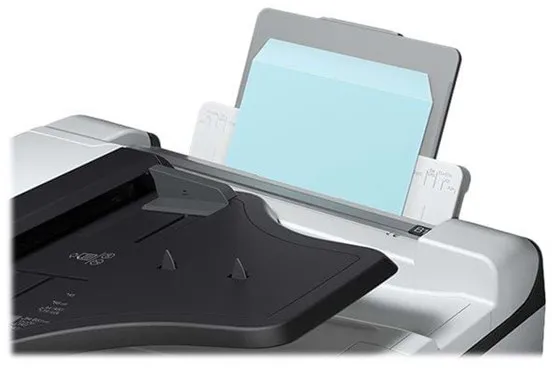
The Epson WorkForce Pro WF-C8690D3TWFC is a multifunction printer that combines printing, scanning, copying and faxing in a single robust device. It uses Epson's four-colour PrecisionCore inkjet technology, delivering sharp and precise results for both text and graphics.
The printer is designed for offices with a high document flow and can handle up to 75,000 pages per month. The recommended monthly volume is between 500 and 5,000 pages, making it suitable for medium and large workgroups.
With a maximum print speed of up to 24 pages per minute in both black and white and colour, as well as automatic duplex function for printing, scanning and copying, it supports efficient document management. The large paper capacity of up to 1,835 sheets reduces the need for frequent refilling.
The WF-C8690D3TWFC offers flexible connectivity options, including Gigabit LAN, USB 3.0, NFC and Wi-Fi(ac), making it easy to integrate into existing networks. It also supports AirPrint and direct printing from USB flash drives.
The device is ENERGY STAR certified and has low power consumption, contributing to more sustainable operation. With its extensive A3 support, high performance and versatile features, it is a solid choice for professional environments where reliability and efficiency are essential.
- A3 support: Prints, scans and copies up to A3 format.
- High print speed: Up to 24 pages per minute in both black and white and colour.
- Large paper capacity: Up to 1,835 sheets for longer operation without refilling.
- Flexible connectivity: Gigabit LAN, USB, NFC and Wi-Fi(ac) offer multiple options.
- Automatic duplex: Efficient double-sided printing, scanning and copying.
- Low energy consumption: ENERGY STAR certification for energy-efficient operation.
Pros and cons
- High printing and copying speed
- Supports A3 format and automatic duplex
- Large paper capacity of up to 1,835 sheets
- Many connectivity options, including Wi-Fi and NFC
- Low energy consumption and ENERGY STAR certification
- Large and heavy device, over 100 kg, requires a fixed placement
- The product is discontinued and may be difficult to find in stock
Pros and cons
Pros
- High printing and copying speed
- Supports A3 format and automatic duplex
- Large paper capacity of up to 1,835 sheets
- Many connectivity options, including Wi-Fi and NFC
- Low energy consumption and ENERGY STAR certification
Cons
- Large and heavy device, over 100 kg, requires a fixed placement
- The product is discontinued and may be difficult to find in stock
Pros
- High printing and copying speed
- Supports A3 format and automatic duplex
- Large paper capacity of up to 1,835 sheets
- Many connectivity options, including Wi-Fi and NFC
- Low energy consumption and ENERGY STAR certification
Cons
- Large and heavy device, over 100 kg, requires a fixed placement
- The product is discontinued and may be difficult to find in stock
Specifications
- Manufacturer: Epson
- Model: WorkForce Pro WF-C8690D3TWFC
- Model number: C11CG68401BP
- EAN: 8715946654287
- Device type: Multifunction printer (printing, scanning, copying, fax)
- Printing technology: Inkjet printer - colour (Epson PrecisionCore, 4 colours)
- Maximum print resolution: 4800 x 1200 dpi
- Maximum print speed: Up to 24 pages/min (mono/colour)
- Maximum copy speed: Up to 22 pages/min (mono) / 21 pages/min (colour)
- Optical scan resolution: 1200 x 2400 dpi
- Fax speed: 33.6 Kbps (Super G3)
- Paper capacity: Standard 1,835 sheets, max. 1,835 sheets
- Bypass feeder: 85 sheets
- Output tray: 250 sheets
- Automatic document feeder: 50 sheets
- Supported media sizes: A3, A4, A5, A6, B5, Legal, Letter, A3 Plus
- Connections: Gigabit LAN, USB 3.0, USB 2.0 host, NFC, Wi-Fi(ac)
- AirPrint support: Yes
- Power consumption (operation/standby/sleep): 39 W / 18 W / 1.3 W
- Dimensions (W x D x H): 77.2 × 87.3 × 116.2 cm
- Weight: 104.8 kg
- Monthly duty cycle (max.): 75,000 pages
- Recommended monthly volume: 500 – 5,000 pages
- ENERGY STAR certification: Yes
Product descriptions
The Epson TM M30II (112A0) is a thermal receipt printer designed for use in POS systems, where fast and reliable printing is essential. It uses thermal line technology to deliver clear, monochrome prints with a resolution of 203 x 203 dpi.
The printer can handle rolls up to 7.95 cm wide and prints at speeds of up to 250 mm per second. It is equipped with an automatic cutter that efficiently separates receipts after printing.
With a compact design of 12.7 × 12.7 × 12.7 cm and a weight of 1.3 kg, the model is suitable for environments with limited space, such as cafés, shops and restaurants. It can be discreetly placed on a counter or wall-mounted with accessories.
The Epson TM M30II offers flexible connectivity options, including USB 2.0, LAN, Bluetooth, NFC and USB host, making it compatible with a wide range of POS systems and mobile devices. It also supports wireless communication and has a built-in print server.
The printer comes with practical accessories such as a power connector cover, cable fixing bracket and spacer. It is built for long life, with a mean time between failures (MTBF) of 360,000 hours.
- High print speed: Up to 250 mm/sec for fast receipt printing.
- Compact design: Only 12.7 cm on each side – ideal for small workspaces.
- Flexible connectivity: Supports USB, LAN, Bluetooth, NFC and USB host.
- Automatic cutter: Efficient and precise receipt cutting.
- Long operating life: MTBF of 360,000 hours for reliable operation.
Pros and cons
- Compact and space-saving design
- High print speed
- Multiple connectivity options, including wireless
- Automatic cutter included
- Low noise level during operation
- Prints only in monochrome (black/white)
- Requires thermal paper to operate
- The product is discontinued and may be difficult to find new
Pros and cons
Pros
- Compact and space-saving design
- High print speed
- Multiple connectivity options, including wireless
- Automatic cutter included
- Low noise level during operation
Cons
- Prints only in monochrome (black/white)
- Requires thermal paper to operate
- The product is discontinued and may be difficult to find new
Pros
- Compact and space-saving design
- High print speed
- Multiple connectivity options, including wireless
- Automatic cutter included
- Low noise level during operation
Cons
- Prints only in monochrome (black/white)
- Requires thermal paper to operate
- The product is discontinued and may be difficult to find new
Specifications
- Manufacturer: Epson
- Model: C31CJ27112A0
- EAN: 8715946688534
- Item number: 2926083
- Printer type: Receipt printer - thermal line - monochrome
- Maximum resolution: 203 x 203 dpi
- Print speed: Up to 250 mm/sec.
- Maximum media size: Roll (7.95 cm)
- Minimum media size: 58 mm
- Maximum custom media size: 80 mm
- Media type: Thermal paper
- Automatic cutter: Yes
- Interfaces: USB 2.0, LAN, Bluetooth, NFC, USB 2.0 host
- Network: Print server
- Connections: 1 x USB 2.0 Type B, 1 x USB 2.0 Type A host, 1 x LAN RJ-45, 1 x cash drawer
- Dimensions (W x D x H): 12.7 × 12.7 × 12.7 cm
- Weight: 1.3 kg
- Colour: Black
- MTBF: 360,000 hours
- Power supply: External power adapter
- Operating temperature: 5–45 °C
- Operating humidity: 10–90 %
- Noise emission: 55 dBA
- Location: United Kingdom
The Lexmark CX923DTE is an advanced multifunction printer that combines printing, copying, scanning and faxing in a single device. It uses colour laser technology and offers a maximum print resolution of up to 1200 x 1200 dpi, ensuring sharp and detailed results in both black and white and colour.
The printer is built for heavy workloads, with a maximum monthly duty cycle of 250,000 pages and a recommended volume between 7,000 and 50,000 pages. It can handle large paper formats such as SRA3 and ARCH B and supports a wide range of media types, including envelopes, labels and banners.
With a print and copy speed of up to 55 pages per minute, both in colour and black and white, it is suitable for busy offices where efficiency is essential. The automatic duplex function allows printing, scanning and copying on both sides of the paper, saving time and paper.
The device is equipped with a 10-inch colour touchscreen that offers intuitive operation and quick access to functions such as scanning to email, FTP or USB. It features USB 2.0, Gigabit LAN and USB host ports and supports Apple AirPrint for easy integration into different network environments.
With a standard paper capacity of 2,150 sheets, expandable up to 5,150 sheets, and a weight of 134.5 kg, the CX923DTE is built for stable operation and long service life. It is ENERGY STAR certified and Blue Angel compliant, reflecting its focus on energy efficiency and environmental friendliness.
- High print speed: Up to 55 pages per minute, both in colour and black and white.
- Large paper capacity: Standard 2,150 sheets, expandable up to 5,150 sheets.
- Advanced media handling: Supports formats up to SRA3 and ARCH B.
- Intuitive operation: 10-inch colour touchscreen with easy access to functions.
- Flexible connectivity: USB 2.0, Gigabit LAN and AirPrint support.
- Eco certification: ENERGY STAR and Blue Angel approvals.
Pros and cons
- High print and copy speed
- Large media capacity and flexible paper handling
- User-friendly touchscreen operation
- Supports large formats and many media types
- Energy efficient and eco-certified
- Large and heavy device, requires adequate space
- Mainly suitable for large offices with high printing demands
- Possible long delivery time when ordered
Pros and cons
Pros
- High print and copy speed
- Large media capacity and flexible paper handling
- User-friendly touchscreen operation
- Supports large formats and many media types
- Energy efficient and eco-certified
Cons
- Large and heavy device, requires adequate space
- Mainly suitable for large offices with high printing demands
- Possible long delivery time when ordered
Pros
- High print and copy speed
- Large media capacity and flexible paper handling
- User-friendly touchscreen operation
- Supports large formats and many media types
- Energy efficient and eco-certified
Cons
- Large and heavy device, requires adequate space
- Mainly suitable for large offices with high printing demands
- Possible long delivery time when ordered
Specifications
- Manufacturer: Lexmark
- Model: CX923DTE
- Model number: 32C0238
- EAN: 0734646647694
- Device type: Multifunction printer (printing, copying, scanning, fax)
- Printing technology: Colour laser
- Maximum print resolution: 1200 x 1200 dpi
- Maximum print speed: 55 pages/min (mono and colour)
- Maximum copy speed: 55 pages/min (mono and colour)
- Optical scan resolution: 600 x 600 dpi
- Fax speed: 33.6 Kbps (Super G3)
- Display: 10" colour touchscreen
- Standard memory: 2 GB (expandable up to 4 GB)
- Monthly duty cycle (maximum): 250,000 pages
- Recommended monthly volume: 7,000 – 50,000 pages
- Standard media capacity: 2,150 sheets
- Maximum media capacity: 5,150 sheets
- Bypass feeder: 150 sheets
- Output tray capacity: 250 sheets
- Supported media sizes: A3, A4, A5, SRA3, ARCH B, Legal, Letter etc.
- Supported media types: Plain paper, envelopes, labels, cardstock, banner
- Automatic duplex: Yes (printing, copying, scanning)
- Interface: USB 2.0, Gigabit LAN, USB host
- AirPrint support: Yes
- Power consumption (operation): 1075 W
- Power consumption (standby): 0.2 W
- Power consumption (sleep): 2.9 W
- Dimensions (W x D x H): 61.5 × 69.7 × 122.5 cm
- Weight: 134.5 kg
- Eco certifications: ENERGY STAR, Blue Angel
The HP Color LaserJet Enterprise M856dn is a colour laser printer developed for workgroups of between 5 and 20 users. It delivers high-quality prints with a resolution of up to 1200 x 1200 dpi and supports both A3 and A4 formats.
The printer has a print speed of up to 56 pages per minute, both black and white and colour, and is equipped with an automatic duplex function, allowing double-sided printing without manual intervention.
With a total paper capacity of 650 sheets and the possibility of expansion up to 4450 sheets, it is suitable for high-volume printing environments. The recommended monthly volume is 50,000 pages, while the maximum duty cycle reaches 250,000 pages.
The printer is powered by a 1.2 GHz processor and has 1.5 GB of RAM (expandable up to 2 GB). It supports multiple printing languages and protocols, including PCL 5, PCL 6, PostScript 3, and PDF 1.4, ensuring broad compatibility with different systems.
Connectivity options include USB 2.0, Gigabit LAN, and host USB ports, and the printer is compatible with AirPrint, allowing direct use from mobile devices. A 4.3-inch colour touchscreen provides easy access to functions and settings.
HP security features, including support for IPsec, SSL, Kerberos, and 802.1x, protect the printer against unauthorised access. The device is also EPEAT Silver, Blue Angel, and ENERGY STAR certified, reflecting the focus on energy efficiency and environmental protection.
- High print speed: Up to 56 pages per minute, both colour and black and white.
- A3 support: Ability to print in large formats up to 320 x 457.2 mm.
- Automatic duplex: Efficient double-sided printing, standard.
- Advanced security: Supports IPsec, SSL, Kerberos, and 802.1x.
- High paper capacity: Standard 650 sheets, expandable up to 4450 sheets.
- Energy efficiency: Certified EPEAT Silver, Blue Angel, and ENERGY STAR.
Pros and cons
- Fast printing, both colour and black and white
- Supports A3 format and automatic duplex
- Robust construction for high print volumes
- Advanced network and security features
- Energy efficient and environmentally certified
- Large and heavy device, requires adequate space
- Primarily intended for commercial use, not home offices
- High purchase price compared to smaller printers
Pros and cons
Pros
- Fast printing, both colour and black and white
- Supports A3 format and automatic duplex
- Robust construction for high print volumes
- Advanced network and security features
- Energy efficient and environmentally certified
Cons
- Large and heavy device, requires adequate space
- Primarily intended for commercial use, not home offices
- High purchase price compared to smaller printers
Pros
- Fast printing, both colour and black and white
- Supports A3 format and automatic duplex
- Robust construction for high print volumes
- Advanced network and security features
- Energy efficient and environmentally certified
Cons
- Large and heavy device, requires adequate space
- Primarily intended for commercial use, not home offices
- High purchase price compared to smaller printers
Specifications
- Manufacturer: HP
- Model: T3U51A#B19
- EAN: 0193015438279
- Printer type: Workgroup printer - laser - colour
- Number of users: 5–20
- Maximum resolution: 1200 x 1200 dpi
- Print speed: Up to 56 pages/min (mono/colour)
- Processor: 1.2 GHz
- RAM: 1.5 GB (expandable up to 2 GB) DDR3 SDRAM
- Paper capacity: 650 sheets (max. 4450 sheets)
- Media size: A3/Ledger (320 x 457.2 mm)
- Automatic duplex: Yes
- Interfaces: USB 2.0, Gigabit LAN, USB 2.0 host
- AirPrint: Yes
- Display: 4.3" colour touchscreen
- Monthly duty cycle (max.): 250,000 pages
- Recommended monthly volume: 50,000 pages
- Dimensions (W x D x H): 55.6 x 61 x 52 cm
- Weight: 52.3 kg
- Power consumption (operation): 870 W
- Power consumption (standby): 77 W
- Power consumption (sleep mode): 0.7 W
- Environmental certifications: EPEAT Silver, Blue Angel, ENERGY STAR
Zebra Printer Profile Manager Enterprise is a licensed software solution that enables centralised management of up to 50 Zebra printers. The program is developed for the Windows platform and is aimed at organisations that want to streamline the management of their printer fleet.
With a browser-based interface, the user can configure, update, and monitor printers regardless of their location – locally, between buildings, or in different geographic regions. This reduces the need for physical access to printers and minimises maintenance time.
The solution helps increase operational reliability and protect sensitive data, facilitating the implementation and maintenance of security configurations across multiple printers. It is particularly suitable for large companies where printer management can be time-consuming and costly.
- Centralised management: Allows management of up to 50 printers from a single location.
- Browser-based access: Provides flexible management regardless of geographic location.
- Efficient maintenance: Reduces the need for physical access to printers.
- Enhanced security: Supports rapid deployment of security configurations.
- Platform: Compatible with Windows.
Pros and cons
- Brings printer management together in a centralised solution
- Reduces operational costs and working time
- Browser-based access provides flexibility
- Supports secure and consistent printer configuration
- The licence covers only up to 50 printers – larger organisations may require multiple licences
- Requires the Windows platform for installation and operation
Pros and cons
Pros
- Brings printer management together in a centralised solution
- Reduces operational costs and working time
- Browser-based access provides flexibility
- Supports secure and consistent printer configuration
Cons
- The licence covers only up to 50 printers – larger organisations may require multiple licences
- Requires the Windows platform for installation and operation
Pros
- Brings printer management together in a centralised solution
- Reduces operational costs and working time
- Browser-based access provides flexibility
- Supports secure and consistent printer configuration
Cons
- The licence covers only up to 50 printers – larger organisations may require multiple licences
- Requires the Windows platform for installation and operation
Specifications
- Manufacturer: Zebra
- Model: P1094902
- Product type: Licence
- Category: Utilities – printing tasks and printer management
- Number of licences: 1 – 50 printers
- Platform: Windows
- SKU/Item number: 3084672
The Canon PIXMA TR150 with battery is a portable colour inkjet printer designed to provide flexible printing wherever you are. Its compact construction and included lithium-ion battery make it suitable for use on the go, while still delivering high-quality results.
The printer uses Canon's FINE ink technology and supports a five-colour system that combines pigmented black with cyan, magenta, yellow and black to produce sharp text and vivid images. The maximum resolution of 4800 x 1200 dpi ensures detailed prints for both documents and photos.
With wireless connectivity via Wi-Fi and support for AirPrint, Google Assistant and IFTTT, the printer can be easily integrated into a modern and mobile work environment. It can also be connected directly via USB-C, and the PictBridge function allows direct printing from compatible cameras.
The paper tray can hold up to 50 sheets, and the printer supports a wide range of media types and sizes, including plain paper, photo paper, envelopes and special media such as magnetic photo paper. Borderless printing is also possible up to A4 format.
Weighing only 2.1 kg and measuring 32.2 × 18.5 × 6.6 cm, the PIXMA TR150 is easy to carry. It is equipped with a 1.44-inch OLED screen that provides a clear view of status and settings during use.
- Portable design: Compact design with integrated battery for printing on the go.
- High print quality: Resolution up to 4800 x 1200 dpi with Canon's FINE ink technology.
- Wireless connectivity: Supports Wi-Fi, AirPrint and Google Assistant.
- Flexible media handling: Borderless printing and support for many paper types.
- User-friendly operation: 1.44-inch OLED screen provides easy access to functions and status.
Pros and cons
- Compact and lightweight design with battery operation
- High print quality for text and images
- Wireless connectivity via Wi-Fi and AirPrint
- Supports many media types and sizes
- Easy operation via OLED screen
- Paper tray limited to 50 sheets
- Print speed is moderate compared to stationary printers
Pros and cons
Pros
- Compact and lightweight design with battery operation
- High print quality for text and images
- Wireless connectivity via Wi-Fi and AirPrint
- Supports many media types and sizes
- Easy operation via OLED screen
Cons
- Paper tray limited to 50 sheets
- Print speed is moderate compared to stationary printers
Pros
- Compact and lightweight design with battery operation
- High print quality for text and images
- Wireless connectivity via Wi-Fi and AirPrint
- Supports many media types and sizes
- Easy operation via OLED screen
Cons
- Paper tray limited to 50 sheets
- Print speed is moderate compared to stationary printers
Specifications
- Manufacturer: Canon
- Model: 4167C026
- EAN: 4549292161823
- Printer type: Photo printer - inkjet printer - colour
- Inkjet technology: Canon FINE (Full-lithography Inkjet Nozzle Engineering)
- Ink type: Canon ChromaLife100
- Colours: 5 (cyan, magenta, yellow, black, pigmented black)
- Maximum resolution: 4800 x 1200 dpi
- Print speed: Up to 9 ipm (black and white), up to 5.5 ipm (colour)
- Connections: USB 2.0 (USB-C), Wi-Fi(n)
- Wireless functionality: AirPrint, Google Assistant, IFTTT, PictBridge
- Paper capacity: 50 sheets
- Supported media sizes: A4, A5, B5, Letter, Legal, 127x127 mm, 89x89 mm, 55x91 mm, 101.6x152.4 mm, 127x177.8 mm, 177.8x254 mm, 203.2x254 mm, 215.9x676 mm
- Borderless printing: Yes
- Screen: 1.44" monochrome OLED
- Battery type: Lithium-ion, 2170 mAh (1 included)
- Power consumption: 8 W (operation), 1.7 W (standby)
- Dimensions (W x D x H): 32.2 × 18.5 × 6.6 cm
- Weight: 2.1 kg
- Noise level: 40.5 dBA
- Operating temperature: 5–35 °C
- Humidity (in use): 10–90% (non-condensing)
- Compatible operating systems: Windows 7 SP1 and later, macOS 10.11.6–10.15, iOS, Android, Windows 10 Mobile
The Kyocera ECOSYS P3155DN is a monochrome laser printer developed for workgroups that require fast and stable printing. It offers up to 55 pages per minute in A4 format and supports automatic duplex printing, making it easy to save paper and reduce costs.
The printer is equipped with a 1.2 GHz ARM Cortex-A9 processor and 512 MB RAM (expandable up to 2.5 GB), ensuring fast processing of complex print jobs. It supports a wide range of protocols and print languages, including PCL, PostScript 3 and PDF Direct.
With a total paper capacity of 600 sheets, expandable up to 2600 sheets, it is suitable for offices with high printing demands. It can handle different media sizes from A6 to Legal and supports paper weights between 60 and 220 g/m².
Connectivity options include USB 2.0, Gigabit LAN and USB host, and the printer is compatible with Apple AirPrint and Mopria certified devices. The internal power supply and low energy consumption in standby and sleep modes make it energy efficient in daily use.
With Kyocera's ECOSYS technology, the printer is designed to reduce operating costs and environmental impact through durable components and low energy consumption.
- High print speed: Up to 55 pages per minute in A4 format.
- Automatic duplex: Allows standard double-sided printing.
- Flexible media handling: Supports up to 2600 sheets and multiple paper formats.
- Energy-efficient operation: Low energy consumption in standby and sleep modes.
- Advanced connectivity: USB 2.0, Gigabit LAN and AirPrint compatibility.
Pros and cons
- Very high print speed
- Automatic duplex function
- Large paper capacity with expansion option
- Low energy consumption and eco-friendly ECOSYS technology
- Supports many protocols and print languages
- Black-and-white printing only
- No standard wireless Wi-Fi connection
- Relatively heavy construction of 16 kg
Pros and cons
Pros
- Very high print speed
- Automatic duplex function
- Large paper capacity with expansion option
- Low energy consumption and eco-friendly ECOSYS technology
- Supports many protocols and print languages
Cons
- Black-and-white printing only
- No standard wireless Wi-Fi connection
- Relatively heavy construction of 16 kg
Pros
- Very high print speed
- Automatic duplex function
- Large paper capacity with expansion option
- Low energy consumption and eco-friendly ECOSYS technology
- Supports many protocols and print languages
Cons
- Black-and-white printing only
- No standard wireless Wi-Fi connection
- Relatively heavy construction of 16 kg
Specifications
- Manufacturer: Kyocera
- Model: ECOSYS P3155DN
- Model number: 1102TR3NL0
- EAN: 0632983051054
- Printer type: Workgroup printer - laser - monochrome
- Print speed: Up to 55 pages/min (A4), 39 pages/min duplex, 82 pages/min (A5)
- Maximum resolution: 1200 x 1200 dpi
- Processor: ARM Cortex-A9 1.2 GHz
- RAM: 512 MB (up to 2560 MB)
- Paper capacity: 600 sheets (max. 2600 sheets)
- Media handling: 100-sheet universal tray, 500-sheet input tray
- Media sizes: A6 to Legal (216 x 356 mm)
- Media weights: 60–220 g/m²
- Connections: USB 2.0, 2 x USB host, Gigabit LAN
- AirPrint: Yes
- Language simulation: PCL 5C, PCL 6, PostScript 3, KPDL3, XPS, PDF Direct etc.
- Power consumption (operation/standby/sleep mode): 675 W / 11 W / 0.5 W
- Noise level (operation/quiet mode): 55.8 dBA / 51.1 dBA
- Dimensions (W x D x H): 38 × 41 × 32 cm
- Weight: 16 kg
- Compliance standards: TUV GS, ISO 9001, ISO 14001, RoHS, ISO 7779
- ENERGY STAR certification: Yes
The Brother MFC-L8390CDW is a colour multifunction printer that uses LED technology to deliver sharp prints at speeds of up to 30 pages per minute – both in black and white and in colour. It is designed for office environments where efficiency and flexibility are important factors.
The device combines printing, copying, scanning and faxing in a compact design. The automatic document feeder can handle up to 50 sheets, and the automatic duplex allows printing, copying and scanning on both sides of the paper without manual intervention.
The printer supports a wide range of connections, including USB, Gigabit LAN, Wi‑Fi, NFC and AirPrint, making it easy to integrate into both wired and wireless networks. It can also scan directly to email, network folders, FTP, SharePoint and USB devices.
With a recommended monthly print volume of up to 4000 pages and a standard paper capacity of 280 sheets, the model is suitable for small and medium-sized offices that need a fast and reliable printing solution.
- Fast printing: Up to 30 pages per minute, both black and white and colour.
- Automatic duplex: Supports double-sided printing, copying and scanning.
- Flexible connectivity: USB, Gigabit LAN, Wi‑Fi, NFC and AirPrint.
- Multifunctionality: Printing, copying, scanning and faxing in one device.
- High paper capacity: 280 standard sheets, 30-sheet bypass and 150-sheet output tray.
Pros and cons
- High print speed in both colour and black and white
- Automatic double-sided printing and scanning
- Extensive connectivity options, including Wi‑Fi and NFC
- Suitable for offices with moderate print volumes
- Easy-to-use touchscreen and colour display
- Relatively large and heavy device (approx. 22 kg)
- 600 x 600 dpi resolution is lower than some competing models
- Not optimal for photo printing due to LED technology characteristics
Pros and cons
Pros
- High print speed in both colour and black and white
- Automatic double-sided printing and scanning
- Extensive connectivity options, including Wi‑Fi and NFC
- Suitable for offices with moderate print volumes
- Easy-to-use touchscreen and colour display
Cons
- Relatively large and heavy device (approx. 22 kg)
- 600 x 600 dpi resolution is lower than some competing models
- Not optimal for photo printing due to LED technology characteristics
Pros
- High print speed in both colour and black and white
- Automatic double-sided printing and scanning
- Extensive connectivity options, including Wi‑Fi and NFC
- Suitable for offices with moderate print volumes
- Easy-to-use touchscreen and colour display
Cons
- Relatively large and heavy device (approx. 22 kg)
- 600 x 600 dpi resolution is lower than some competing models
- Not optimal for photo printing due to LED technology characteristics
Specifications
- Manufacturer: Brother
- Model: MFCL8390CDWRE1
- EAN: 4977766824149
- Device type: Multifunction printer (print, copy, scan, fax)
- Printing technology: LED (colour)
- Print speed: Up to 30 pages/min (mono/colour)
- Print resolution: Up to 600 x 600 dpi
- Copy speed: Up to 30 pages/min (mono/colour)
- Copy resolution: Up to 600 x 600 dpi
- Scanning: Optical resolution 1200 x 1200 dpi, interpolated up to 19200 x 19200 dpi
- Document feeder: 50-sheet ADF
- Automatic duplex: Yes (print, copy, scan)
- Paper capacity: 280 standard sheets, 30-sheet bypass, 150-sheet output
- Supported paper sizes: A4, A5, A6, Legal, Letter, B5, C5, DL, etc.
- Connectivity: USB 2.0, USB 2.0 host, Gigabit LAN, Wi‑Fi(n), NFC
- AirPrint: Supported
- Fax: Super G3, 33.6 Kbps, up to 500 pages in memory
- Memory: 512 MB
- Recommended monthly volume: Up to 4000 pages
- Power consumption: 620 W (operation), 70 W (standby), 10 W (sleep)
- Dimensions (W x D x H): 41 × 46.2 × 40.1 cm
- Weight: 21.9 kg
- Eco certification: Blue Angel, Nordic Swan Ecolabel
- Noise level: 48 dBA (in operation)
- Operating temperature: 10–32.5 °C
- Operating humidity: 20–80 %
The OKI C824n A3 Color Laser Printer is a colour LED-based printer designed for workgroups that need reliable and fast printing in both A4 and A3 formats. It offers a maximum resolution of 1200 x 600 dpi and can print up to 26 pages per minute, both in black and white and in colour, on A4 paper.
The printer is equipped with a fast warm-up time and energy-efficient fusing technology, which reduces both energy consumption and waiting time. It supports a wide range of sizes and media types, including envelopes and heavier paper types up to 256 g/m².
The C824n has a total paper capacity of 400 sheets, divided between a main tray of 300 sheets and a 100-sheet multipurpose tray. The capacity can be expanded up to a maximum of 2450 sheets with additional trays.
The printer has USB 2.0, Gigabit LAN and USB host connectivity options, making it easy to integrate into existing networks. It supports multiple protocols and print languages, including PCL 5C, PCL 6 and EPSON FX.
With a recommended monthly print volume of 5000 pages and a maximum duty cycle of 75,000 pages, the C824n is suitable for offices with moderate to high printing needs. It comes with four toner cartridges (black, cyan, magenta and yellow), each with a capacity of up to 2500 pages.
- Colour LED technology: Provides sharp prints with low energy consumption.
- A3 compatibility: Supports large format printing up to 297 x 420 mm.
- Fast printing: Up to 26 pages per minute, both colour and black and white (A4).
- Flexible media handling: Supports paper weights from 64 to 256 g/m² and multiple media sizes.
- Network ready: Gigabit LAN and USB 2.0 connections for easy integration into office environments.
Pros and cons
- Compact design for an A3 colour printer
- Fast warm-up and energy-efficient operation
- High print speed in both colour and black and white
- Flexible media handling and expandable paper capacity
- Network connectivity via Gigabit LAN
- Automatic duplex printing requires additional equipment
- The relatively heavy weight of 37 kg can make moving difficult
- No longer in production, which may affect availability
Pros and cons
Pros
- Compact design for an A3 colour printer
- Fast warm-up and energy-efficient operation
- High print speed in both colour and black and white
- Flexible media handling and expandable paper capacity
- Network connectivity via Gigabit LAN
Cons
- Automatic duplex printing requires additional equipment
- The relatively heavy weight of 37 kg can make moving difficult
- No longer in production, which may affect availability
Pros
- Compact design for an A3 colour printer
- Fast warm-up and energy-efficient operation
- High print speed in both colour and black and white
- Flexible media handling and expandable paper capacity
- Network connectivity via Gigabit LAN
Cons
- Automatic duplex printing requires additional equipment
- The relatively heavy weight of 37 kg can make moving difficult
- No longer in production, which may affect availability
Specifications
- Manufacturer: OKI
- Model: C824n
- Model number: 47074204
- EAN: 5031713071631
- Printer type: Workgroup printer - LED - colour
- Maximum resolution: 1200 x 600 dpi
- Print speed: Up to 26 pages/min (A4), 14 pages/min (A3)
- Paper capacity: 400 sheets (standard), up to 2450 sheets (maximum)
- Media weight: 64–256 g/m²
- Connections: USB 2.0, Gigabit LAN, USB 2.0 host
- RAM: 1 GB (maximum)
- Flash memory: 3 GB
- Monthly duty cycle: 75,000 pages (maximum)
- Recommended monthly volume: 5,000 pages
- Dimensions (W x D x H): 44.9 × 55.2 × 36 cm
- Weight: 37 kg
- Power consumption (operation): 680 W
- Power consumption (standby): 13 W
- Power consumption (sleep mode): 1 W
- Supported operating systems: Windows, macOS, Linux
- ENERGY STAR certification: Yes
The Xerox B315 (B315V/DNI) is a multifunction printer that brings together printing, copying, scanning and faxing in a single compact device. It is designed for small and medium-sized offices where efficiency and reliability are essential.
The printer offers black-and-white laser printing at speeds of up to 40 pages per minute and a resolution of up to 600 x 600 dpi. It supports automatic duplex printing and has a 50-sheet automatic document feeder, making it easy to handle multi-page documents.
With a standard paper capacity of 350 sheets, expandable up to 900 sheets, the device can handle larger print jobs without frequent refilling. The maximum monthly duty cycle is 80,000 pages, while the recommended volume is around 6,000 pages.
Connectivity options include USB 2.0, LAN, Wi-Fi with Wi-Fi Direct and support for AirPrint, allowing direct printing from mobile devices. The printer is ENERGY STAR and Blue Angel certified and supports Xerox Workflow Central for efficient document management.
Weighing 12.8 kg and measuring 41.1 × 26.6 × 33.9 cm, the Xerox B315 is a compact solution that fits well in office environments with limited space.
- Fast printing: Up to 40 pages per minute in black and white.
- Multifunctional: Combines printing, copying, scanning and faxing in a single device.
- Automatic duplex: Supports double-sided printing and scanning.
- Wireless connectivity: Wi-Fi, Wi-Fi Direct, LAN, USB and AirPrint.
- Large paper capacity: 350 sheets standard, expandable up to 900 sheets.
- Eco certification: ENERGY STAR and Blue Angel approved.
Pros and cons
- High print speed of up to 40 pages per minute
- Built-in Wi-Fi and AirPrint support
- Automatic duplex for printing and scanning
- Robust construction with high monthly capacity
- Compact design suitable for small offices
- Black-and-white printing only
- Not ideal for very high-volume printing environments
Pros and cons
Pros
- High print speed of up to 40 pages per minute
- Built-in Wi-Fi and AirPrint support
- Automatic duplex for printing and scanning
- Robust construction with high monthly capacity
- Compact design suitable for small offices
Cons
- Black-and-white printing only
- Not ideal for very high-volume printing environments
Pros
- High print speed of up to 40 pages per minute
- Built-in Wi-Fi and AirPrint support
- Automatic duplex for printing and scanning
- Robust construction with high monthly capacity
- Compact design suitable for small offices
Cons
- Black-and-white printing only
- Not ideal for very high-volume printing environments
Specifications
- Manufacturer: Xerox
- Model: B315V_DNI
- Item number: 3066704
- EAN: 0095205069419
- Device type: Multifunction printer (print, copy, scan, fax)
- Printing technology: Laser - monochrome
- Maximum print speed: Up to 40 pages/min (A4)
- Print resolution: Up to 600 x 600 dpi
- Copy speed: Up to 39 pages/min
- Scanning: CIS, 600 x 600 dpi, duplex
- Fax: Super G3, 33.6 Kbps, 600 x 600 dpi
- Automatic document feeder: 50 sheets
- Paper capacity: 350 sheets (standard), 900 sheets (maximum)
- Bypass feeder: 100 sheets
- Output tray: 100 sheets
- Connectivity: USB 2.0, USB host, LAN, Wi-Fi (Wi-Fi Direct), AirPrint
- Monthly duty cycle (maximum): 80,000 pages
- Recommended monthly volume: 6,000 pages
- Toner yield: Up to 2,500 pages (black, ISO/IEC 19752)
- Memory: 512 MB
- Power consumption (operation/standby/sleep): 580 W / 7.5 W / 1.1 W
- Dimensions (W x D x H): 41.1 × 26.6 × 33.9 cm
- Weight: 12.8 kg
- Environmental standards: ENERGY STAR, Blue Angel
- Noise level: 67.1 dBA (in operation)
- Operating temperature: 10–32.2 °C
- Operating humidity: 8–80% RH
The Epson LQ-350 is a monochrome 24-pin dot matrix printer designed to provide stable and economical printing in professional environments. It is suitable for tasks that require carbon copy paper or continuous forms.
The printer has a print speed of up to 347 characters per second in high-speed draft mode and supports parallel, serial, and USB 2.0 connections, making it easy to integrate into existing systems.
With a power consumption of only 1.3 watts in standby mode and 22 watts during operation, the model is ENERGY STAR certified for its energy efficiency. It comes with a black ribbon that can print up to 2.5 million characters, contributing to low operating costs.
The compact size and integrated cable management system make the printer suitable for offices and small workstations where space is limited.
- High print speed: Up to 347 characters per second in high-speed draft mode.
- Low power consumption: Only 1.3 W in standby mode and 22 W during operation.
- Flexible connectivity: Parallel, serial, and standard USB 2.0.
- Long ribbon life: Up to 2.5 million characters per ribbon.
- Compact design: Fits easily on a desk and has practical cable management.
Pros and cons
- Reliable and economical in use
- Low power consumption and ENERGY STAR certification
- Supports multiple connection types
- Long ribbon life and high MTBF
- Suitable for carbon copy paper and forms
- Limited to monochrome printing
- Dot-matrix technology is slower and noisier than modern printers
Pros and cons
Pros
- Reliable and economical in use
- Low power consumption and ENERGY STAR certification
- Supports multiple connection types
- Long ribbon life and high MTBF
- Suitable for carbon copy paper and forms
Cons
- Limited to monochrome printing
- Dot-matrix technology is slower and noisier than modern printers
Pros
- Reliable and economical in use
- Low power consumption and ENERGY STAR certification
- Supports multiple connection types
- Long ribbon life and high MTBF
- Suitable for carbon copy paper and forms
Cons
- Limited to monochrome printing
- Dot-matrix technology is slower and noisier than modern printers
Specifications
- Manufacturer: Epson
- Model: C11CC25001
- EAN: 8715946521886
- Printer type: Personal printer - dot-matrix - 24 pins - monochrome
- Print speed: Up to 347 characters/sec (high-speed draft), 260 characters/sec (draft), 86 characters/sec (letter quality)
- Interfaces: Parallel, USB 2.0, serial
- RAM: 128 KB built-in
- Language simulation: EPSON ESC/P 2, IBM 2390 Plus
- Media types: Envelopes, labels, plain paper, continuous forms
- Max. multiple sheets: 4
- Connections: 1 x parallel, 1 x serial, 1 x USB 2.0 (Type B)
- Consumable: 1 x black ribbon – up to 2.5 million characters
- MTBF: 10,000 hours
- Power supply: Internal
- Power consumption (operation): 22 W
- Power consumption (standby): 1.3 W
- Software: Drivers & Utilities, EPSON Status Monitor
- Supported operating systems: Windows 2000, XP, Vista, 7, 8
- ENERGY STAR certification: Yes
- Operating temperature: 5–35 °C
- Humidity (in use): 10–80 %
- Noise level (in operation): 53 dBA
- Dimensions (W x D x H): 34.8 × 27.5 × 15.4 cm
- Weight: 4.1 kg
The Lexmark CS730de is a workgroup printer that delivers high-quality colour prints with a resolution of up to 1200 x 1200 dpi. It is equipped with a 1.2 GHz processor and 1 GB RAM, ensuring fast processing of complex print jobs.
The printer supports automatic duplex printing and can handle a total paper capacity of 650 sheets, divided between a 100-sheet multipurpose tray and a 550-sheet input tray. The maximum paper capacity can be expanded up to 2850 sheets, making it suitable for offices with high printing demands.
The CS730de offers print speeds of up to 40 pages per minute, both in black and white and in colour, and the first page is printed within seconds. It supports a wide range of media types, including envelopes, labels and banner paper.
Connectivity options include USB 2.0, USB host and Gigabit LAN, and the printer is compatible with AirPrint, making it easy to print directly from mobile devices. The integrated touchscreen provides intuitive operation and quick access to printer functions.
With a recommended monthly print volume between 1,500 and 15,000 pages and a maximum duty cycle of 120,000 pages, the model is built to withstand continuous use in busy office environments.
- High print speed: Up to 40 pages per minute, both black and white and colour.
- Automatic duplex: Efficient double-sided printing, standard.
- Professional colour quality: 1200 x 1200 dpi resolution with 4800 Color Quality technology.
- Flexible media handling: 650-sheet capacity, expandable up to 2850 sheets.
- Network ready: Gigabit LAN, USB 2.0 and AirPrint support.
- User-friendly operation: Integrated touchscreen for easy access to functions.
Pros and cons
- Fast printing, both colour and black and white
- Automatic duplex function
- High resolution and professional colour reproduction
- Robust construction for office use
- Flexible connectivity options, including AirPrint
- Relatively heavy at 32 kg, requires a fixed placement
- Not standard wireless – requires wired network
- Mainly oriented towards business use, not home
Pros and cons
Pros
- Fast printing, both colour and black and white
- Automatic duplex function
- High resolution and professional colour reproduction
- Robust construction for office use
- Flexible connectivity options, including AirPrint
Cons
- Relatively heavy at 32 kg, requires a fixed placement
- Not standard wireless – requires wired network
- Mainly oriented towards business use, not home
Pros
- Fast printing, both colour and black and white
- Automatic duplex function
- High resolution and professional colour reproduction
- Robust construction for office use
- Flexible connectivity options, including AirPrint
Cons
- Relatively heavy at 32 kg, requires a fixed placement
- Not standard wireless – requires wired network
- Mainly oriented towards business use, not home
Specifications
- Manufacturer: Lexmark
- Model: CS730de
- Model number: 47C9020
- EAN: 0734646717380
- Printer type: Workgroup printer - laser - colour
- Resolution: 1200 x 1200 dpi (black and white and colour)
- Print speed: Up to 40 pages/min (black and white and colour)
- Processor: 1.2 GHz
- RAM: 1 GB (max. 1 GB)
- Automatic duplex: Yes
- Interfaces: USB 2.0, USB 2.0 host, Gigabit LAN
- AirPrint: Yes
- Paper capacity: 650 sheets (max. 2850 sheets)
- Media sizes: A4, A5, A6, Legal, Letter, Executive, Folio, JIS B5, Statement, Oficio
- Monthly duty cycle (max.): 120,000 pages
- Recommended monthly volume: 1,500 – 15,000 pages
- Power consumption (operation): 610 W
- Power consumption (standby): 57 W
- Power consumption (sleep mode): 1 W
- Dimensions (W x D x H): 47.9 × 48.9 × 41.3 cm
- Weight: 32 kg
- ENERGY STAR certification: Yes
The HP Color Laser MFP 178nwg is a multifunction printer that combines printing, scanning and copying in a single device. It is designed for users who want a compact and efficient solution for daily office use, where colour and black-and-white prints are produced quickly and accurately.
The printer uses laser technology and offers a maximum print speed of up to 18 pages per minute in black and white and 4 pages per minute in colour. It supports a maximum resolution of 600 x 600 dpi, providing sharp and precise results for both text and graphics.
The device has built-in Wi-Fi, LAN and USB 2.0, allowing direct printing from a computer, mobile phone or network. It supports AirPrint, Mopria and Google Cloud Print, making wireless printing from mobile devices easily accessible.
With a paper capacity of 150 sheets and an output tray of 50 sheets, the printer is suitable for small office environments. The recommended monthly print volume is between 100 and 500 pages, while the maximum duty cycle is 20,000 pages per month.
The HP Color Laser MFP 178nwg is ENERGY STAR certified and Blue Angel compliant, meaning it meets environmental standards for energy efficiency. It comes with black, cyan, magenta and yellow toner cartridges, as well as a drum, ready for immediate use.
- Multifunction device: Combines printing, scanning and copying in a single compact unit.
- Wireless connectivity: Supports Wi-Fi, LAN and USB 2.0 for flexible use.
- Mobile printing: Compatible with AirPrint, Mopria and Google Cloud Print.
- High print speed: Up to 18 pages/minute black and white and 4 pages/minute colour.
- Eco certification: ENERGY STAR and Blue Angel approved for energy-efficient operation.
Pros and cons
- Compact design, suitable for small offices
- Wireless and wired network connection
- Supports mobile printing through multiple platforms
- Good print quality for text and graphics
- Low power consumption in sleep mode
- Relatively low colour print speed
- Limited paper capacity for large print jobs
- Not intended for very high print volumes
Pros and cons
Pros
- Compact design, suitable for small offices
- Wireless and wired network connection
- Supports mobile printing through multiple platforms
- Good print quality for text and graphics
- Low power consumption in sleep mode
Cons
- Relatively low colour print speed
- Limited paper capacity for large print jobs
- Not intended for very high print volumes
Pros
- Compact design, suitable for small offices
- Wireless and wired network connection
- Supports mobile printing through multiple platforms
- Good print quality for text and graphics
- Low power consumption in sleep mode
Cons
- Relatively low colour print speed
- Limited paper capacity for large print jobs
- Not intended for very high print volumes
Specifications
- Manufacturer: HP
- Model: 6HU08A#B19
- EAN: 0193808830464
- Device type: Multifunction printer
- Printing technology: Laser (colour)
- Maximum print speed: Up to 18 ppm (mono) / 4 ppm (colour)
- Maximum print resolution: 600 x 600 dpi
- Maximum copy speed: 14 ppm (mono) / 4 ppm (colour)
- Optical scan resolution: 600 x 600 dpi
- Standard memory: 128 MB
- Paper capacity: 150 sheets (input), 50 sheets (output)
- Supported media sizes: A4, A5, A6, JIS B5, Oficio, 216 x 356 mm
- Supported media types: Plain paper, labels, recycled paper, thick paper, coloured paper, etc.
- Interface: USB 2.0, LAN, Wi-Fi(n)
- AirPrint compatible: Yes
- Power consumption (operation/standby/sleep): 300 W / 38 W / 1.9 W
- Dimensions (W x D x H): 40.6 × 36.3 × 28.87 cm
- Weight: 12.94 kg
- Environmental standards: ENERGY STAR, Blue Angel
- Monthly duty cycle (max.): 20,000 pages
- Recommended monthly volume: 100–500 pages
The Brother DCP-T720DW All in One is a colour inkjet printer that combines printing, scanning and copying in a single device. It is designed for users who need a reliable printer with low cost per page and flexible connectivity options.
The printer uses a four-colour ink system, with separate tanks for cyan, magenta, yellow and black, allowing individual replacement or refilling of colours. It supports automatic duplex printing and can handle media sizes up to A4 and Letter.
With Wi-Fi wireless connection and AirPrint support, the device can be easily integrated into the home network and used from both computers and mobile devices. The optical scanning resolution of 1200 x 2400 dpi ensures clear results when digitising documents and images.
The DCP-T720DW has a standard 150-sheet paper tray, a 20-sheet automatic document feeder and a 50-sheet output tray. Its compact design and weight of 8.7 kg make it suitable for small offices and confined workspaces.
- Multifunction device: Combines printing, scanning and copying in a single compact unit.
- Refillable ink tanks: Reduces operating costs and waste compared to traditional cartridges.
- Automatic duplex: Prints on both sides of the paper to save time and paper.
- Wireless connectivity: Supports Wi-Fi and AirPrint for easy printing from multiple devices.
- High print quality: Resolution up to 1200 x 6000 dpi for black and white and colour.
Pros and cons
- Low cost per page thanks to refillable ink tanks
- Wireless printing via Wi-Fi and AirPrint
- Automatic duplex printing
- Good print speed for its class
- Compact design with multiple functions in one device
- Not intended for very high print volumes
- No fax function
- The noise level of 50 dBA may be noticeable in quiet environments
Pros and cons
Pros
- Low cost per page thanks to refillable ink tanks
- Wireless printing via Wi-Fi and AirPrint
- Automatic duplex printing
- Good print speed for its class
- Compact design with multiple functions in one device
Cons
- Not intended for very high print volumes
- No fax function
- The noise level of 50 dBA may be noticeable in quiet environments
Pros
- Low cost per page thanks to refillable ink tanks
- Wireless printing via Wi-Fi and AirPrint
- Automatic duplex printing
- Good print speed for its class
- Compact design with multiple functions in one device
Cons
- Not intended for very high print volumes
- No fax function
- The noise level of 50 dBA may be noticeable in quiet environments
Specifications
- Manufacturer: Brother
- Model: DCPT720DWYJ1
- EAN: 4977766807258
- Device type: Multifunction printer
- Printing technology: Inkjet (colour, 4 colours)
- Maximum print speed: Up to 17 ppm (mono) / 16.5 ppm (colour)
- Maximum print resolution: Up to 1200 x 6000 dpi
- Scanning resolution: 1200 x 2400 dpi (optical)
- Standard memory: 128 MB
- Paper tray: 150 sheets
- Automatic document feeder: 20 sheets
- Output tray: 50 sheets
- Bypass feeder: 1 sheet
- Automatic duplex: Yes
- Interface: USB 2.0, Wi-Fi(n)
- AirPrint compatible: Yes
- Supported media sizes: A4, Letter, A5, A6, Executive, 102x152 mm, 127x203 mm, 89x127 mm
- Supported envelope sizes: DL, C5, Com-10, Monarch
- Supported media weight: 64–300 g/m²
- Office equipment functions: Scan to email, image and OCR
- Included ink tanks: BTD60BK (black, up to 7500 pages), BT5000C/M/Y (cyan, magenta, yellow, up to 5000 pages each)
- Dimensions (W x D x H): 43.5 × 38 × 19.5 cm
- Weight: 8.7 kg
- Noise level: 50 dBA (in operation)
- Supported operating systems: Windows 7–10, Windows Server 2008–2019, macOS 10.14–10.15
The Epson SureColor SC-P6500D is a 24-inch large format printer that uses six separate colours to deliver precise and vibrant prints. It is developed for professional environments such as photo studios, retail stores and print labs, where both quality and efficiency are essential.
The printer uses Epson PrecisionCore MicroTFP technology and UltraChrome PRO6 ink, which ensures consistent colour reproduction and fine details. It supports borderless printing and can handle different types and sizes of media, including roll media up to 60.9 cm wide.
With the dual roll function, the user can load two different types or sizes of media and allow the printer to switch automatically between them. This increases flexibility and reduces the need for manual handling.
The SC-P6500D has an integrated touchscreen, wireless connection via Wi-Fi(ac) and supports AirPrint, making it easy to integrate into both Mac and Windows-based work environments. It offers a maximum resolution of 1200 x 2400 dpi and a print speed of up to 18 m² per hour for photo tasks.
The printer is equipped with advanced features such as Nozzle Detection Technology and automatic media feeding, contributing to stable operation and low maintenance.
- 6-colour ink system: Provides accurate colour reproduction with cyan, magenta, yellow, grey, photo black and matte black.
- Dual roll function: Allows automatic switching between two types or sizes of media.
- High resolution: Prints up to 1200 x 2400 dpi for sharp and detailed results.
- Wireless connectivity: Supports USB 2.0, Gigabit LAN and Wi-Fi(ac), as well as AirPrint.
- Compact design: Fits into professional environments with limited space.
Pros and cons
- Professional print quality with 6-colour UltraChrome PRO6 ink
- Dual roll function for flexible media handling
- Supports both wireless and wired connections
- Touchscreen for easy operation
- Compatible with MacOS and Windows
- Relatively heavy weight of over 118 kg requires a fixed installation
- Print speed may be lower at maximum quality
- Mainly intended for professional users, not regular offices
Pros and cons
Pros
- Professional print quality with 6-colour UltraChrome PRO6 ink
- Dual roll function for flexible media handling
- Supports both wireless and wired connections
- Touchscreen for easy operation
- Compatible with MacOS and Windows
Cons
- Relatively heavy weight of over 118 kg requires a fixed installation
- Print speed may be lower at maximum quality
- Mainly intended for professional users, not regular offices
Pros
- Professional print quality with 6-colour UltraChrome PRO6 ink
- Dual roll function for flexible media handling
- Supports both wireless and wired connections
- Touchscreen for easy operation
- Compatible with MacOS and Windows
Cons
- Relatively heavy weight of over 118 kg requires a fixed installation
- Print speed may be lower at maximum quality
- Mainly intended for professional users, not regular offices
Specifications
- Manufacturer: Epson
- Model: C11CJ49301A0
- EAN: 8715946699585
- Printer type: 24" large format printer - inkjet printer - colour
- Inkjet technology: Epson PrecisionCore MicroTFP
- Ink type: Epson UltraChrome PRO6
- Colours: 6 (cyan, magenta, yellow, grey, photo black, matte black)
- Maximum resolution: 1200 x 2400 dpi
- Print speed: Up to 2 pages/min (A1) or 18 m²/hour (photo)
- Connections: USB 2.0, Gigabit LAN, Wi-Fi(ac)
- AirPrint: Yes
- RAM: 4 GB
- Supported media sizes: A5 to A1, Roll (43.1 cm / 60.9 cm)
- Maximum media thickness: 0.1–1.5 mm
- Power consumption: 70 W (operation), 0.3 W (standby)
- Dimensions (W x D x H): 136.5 × 49.9 × 97.5 cm
- Weight: 118.1 kg
- Network security: IPsec, AES-128/256, WPA3, LDAP, SSL, TLS
The Lexmark CS921DE is a colour laser printer developed for workgroups that need fast and reliable printing, both black and white and colour. It can handle large print volumes and supports formats up to SRA3, making it suitable for both standard documents and larger graphic tasks.
The printer offers a resolution of up to 1200 x 1200 dpi and uses Lexmark 2400 IQ image enhancement technology for sharp and precise results. The built-in duplex function allows automatic double-sided printing, reducing paper consumption.
With a print speed of up to 35 pages per minute, both black and white and colour, and a first page out in just 7 seconds, it is optimised for efficiency in busy office environments. The 4.3-inch colour touchscreen provides easy access to printer functions.
The CS921DE has a standard paper capacity of 1150 sheets, distributed across two 500-sheet trays and a 150-sheet multipurpose tray. The capacity can be expanded up to 6650 sheets with additional accessories. The printer supports a wide range of media types and sizes, including envelopes, labels, and banner paper.
Connectivity options include USB 2.0, Gigabit LAN, and USB host, and the printer is compatible with AirPrint, allowing direct printing from mobile devices. It is powered by a 1.2 GHz processor and comes with 1 GB of RAM, expandable to 3 GB.
The Lexmark CS921DE is ENERGY STAR and Blue Angel certified, reflecting its energy-efficient operation. It is designed for a maximum monthly duty cycle of 150,000 pages and a recommended volume of 4,000–20,000 pages, making it suitable for continuous use in professional environments.
- High print speed: Up to 35 pages per minute, both black and white and colour.
- High media capacity: Standard 1150 sheets, expandable up to 6650 sheets.
- Professional resolution: 1200 x 1200 dpi with 2400 IQ image enhancement.
- Automatic duplex: Standard double-sided printing.
- Flexible connectivity: USB 2.0, Gigabit LAN, and AirPrint support.
- User-friendly operation: 4.3" colour touchscreen for easy navigation.
- Energy efficiency: ENERGY STAR and Blue Angel certified.
Pros and cons
- Fast printing, both colour and black and white
- Supports large paper sizes up to SRA3
- Robust construction for high print volumes
- Automatic duplex and large paper capacity
- AirPrint compatibility and network connectivity
- Large and heavy device, requires adequate space
- Primarily intended for commercial use, not home offices
- Higher energy consumption during operation compared to smaller printers
Pros and cons
Pros
- Fast printing, both colour and black and white
- Supports large paper sizes up to SRA3
- Robust construction for high print volumes
- Automatic duplex and large paper capacity
- AirPrint compatibility and network connectivity
Cons
- Large and heavy device, requires adequate space
- Primarily intended for commercial use, not home offices
- Higher energy consumption during operation compared to smaller printers
Pros
- Fast printing, both colour and black and white
- Supports large paper sizes up to SRA3
- Robust construction for high print volumes
- Automatic duplex and large paper capacity
- AirPrint compatibility and network connectivity
Cons
- Large and heavy device, requires adequate space
- Primarily intended for commercial use, not home offices
- Higher energy consumption during operation compared to smaller printers
Specifications
- Manufacturer: Lexmark
- Model: CS921DE (32C0012)
- EAN: 734646647656
- Printer type: Workgroup printer - colour laser
- Maximum resolution: 1200 x 1200 dpi
- Print speed: Up to 35 pages/min (black and white and colour)
- First page printed: 7 seconds
- Processor: 1.2 GHz
- RAM: 1 GB (expandable up to 3 GB)
- Paper capacity: 1150 sheets (max. 6650 sheets)
- Maximum media size: ARCH B (304.8 x 457.2 mm), SRA3 (320 x 450 mm)
- Media weight: 60–256 g/m²
- Automatic duplex: Yes
- Connections: USB 2.0, Gigabit LAN, USB 2.0 host
- Display: 4.3" colour touchscreen
- AirPrint: Yes
- Monthly duty cycle (max.): 150,000 pages
- Recommended monthly volume: 4,000–20,000 pages
- Power consumption (operation): 575 W
- Power consumption (standby): 0.2 W
- Power consumption (sleep mode): 2.2 W
- Dimensions (W x D x H): 61.5 × 69.3 × 78 cm
- Weight: 88.5 kg
- Certifications: ENERGY STAR, Blue Angel
- Operating noise level: 51 dBA
The HP LaserJet Pro MFP 3102fdwe is a monochrome laser printer designed for small and medium-sized offices where efficiency and reliability are essential. It can print, scan, copy, and send faxes from the same device, saving space and simplifying workflows.
The printer offers up to 33 pages per minute and supports automatic duplex printing, so documents can be printed on both sides without manual intervention. The optical scan resolution of 1200 x 1200 dpi ensures clear results when digitising documents.
The device has a 2.7-inch colour touchscreen that makes operation intuitive. It supports both wired and wireless connections via LAN, Wi-Fi(n), and Bluetooth LE, and is compatible with AirPrint and Mopria for easy printing from mobile devices.
With a standard 250-sheet paper tray, a 50-sheet automatic document feeder, and a 150-sheet output tray, the printer is suitable for daily use with moderate print volumes. The recommended monthly volume is between 350 and 2500 pages.
As an HP+ model, it requires an HP account, an internet connection, and the use of original HP cartridges. The printer is ENERGY STAR certified and equipped with technologies such as HP Auto-Off and JetIntelligence for energy-efficient and precise operation.
- Fast printing: Up to 33 pages per minute in black and white.
- Multifunctional: Prints, copies, scans, and faxes in one device.
- Wireless connectivity: Supports LAN, Wi-Fi(n), and Bluetooth LE.
- Automatic duplex: Saves paper with double-sided printing.
- User-friendly operation: 2.7" colour touchscreen with intuitive navigation.
- HP+ enabled: Integrated with cloud-based printing solutions and HP security features.
Pros and cons
- High print speed and efficient operation
- Combines multiple functions in one compact device
- Wired and wireless network connection
- Automatic duplex printing
- ENERGY STAR certification for low power consumption
- Requires an HP account and original HP cartridges as part of the HP+ programme
- Black-and-white printing only – not suitable for colour documents
Pros and cons
Pros
- High print speed and efficient operation
- Combines multiple functions in one compact device
- Wired and wireless network connection
- Automatic duplex printing
- ENERGY STAR certification for low power consumption
Cons
- Requires an HP account and original HP cartridges as part of the HP+ programme
- Black-and-white printing only – not suitable for colour documents
Pros
- High print speed and efficient operation
- Combines multiple functions in one compact device
- Wired and wireless network connection
- Automatic duplex printing
- ENERGY STAR certification for low power consumption
Cons
- Requires an HP account and original HP cartridges as part of the HP+ programme
- Black-and-white printing only – not suitable for colour documents
Specifications
- Manufacturer: HP
- Model: 3G630E#B19
- EAN: 0195122461935
- Printing technology: Laser (monochrome)
- Maximum print speed: Up to 33 pages/minute
- Maximum print resolution: 1200 x 1200 dpi
- Copy speed: Up to 33 pages/minute
- Copy resolution: Up to 300 dpi
- Scanning: CIS, optical resolution 1200 x 1200 dpi
- Fax speed: 33.6 Kbps
- Paper handling: 250-sheet input tray, 150-sheet output tray, 50-sheet ADF
- Automatic duplex: Yes
- Display: 2.7" colour touchscreen
- Memory: 512 MB
- Connectivity: LAN, Wi-Fi(n), Bluetooth LE
- AirPrint and Mopria: Supported
- Recommended monthly volume: 350–2500 pages
- Maximum duty cycle: 50,000 pages per month
- Power consumption (operation/standby/sleep): 436 W / 4.5 W / 1.31 W
- Dimensions (W x D x H): 41.8 × 39.82 × 31.32 cm
- Weight: 10.5 kg
- Environmental standard: ENERGY STAR certification
The Brother DCP-L5510DW is a monochrome multifunction printer that combines printing, scanning and copying in a single compact device. It is designed for office environments where speed and efficiency are essential and offers up to 48 pages per minute in black and white.
The printer supports automatic duplex printing and has a 50-sheet automatic document feeder, making it easy to handle multi-page documents. The optical scanning resolution of 1200 x 1200 dpi ensures clear results when digitising documents.
With both wired and wireless connectivity – including USB, Gigabit LAN, Wi-Fi (n) and NFC – the device can be easily integrated into different network environments. It also supports AirPrint and multiple scanning and printing functions directly to email, FTP, SharePoint and USB.
Paper handling includes a standard 250-sheet tray, a 100-sheet bypass tray and a 150-sheet output tray, providing flexibility for different types and formats of media. The recommended monthly volume of 5,000 pages makes it suitable for regular office use.
The printer is designed with a focus on security and energy efficiency, including support for modern network protocols, low power consumption in sleep mode and environmental certifications such as Blue Angel and Nordic Swan.
- High print speed: Up to 48 pages per minute in black and white.
- Automatic duplex: Double-sided printing as a standard feature.
- Flexible connectivity: Supports USB, LAN, Wi-Fi, NFC and AirPrint.
- Efficient document management: 50-sheet ADF and 250-sheet paper tray.
- Secure and eco-friendly: Advanced security features and environmental certifications.
Pros and cons
- Fast printing and copying up to 48 pages per minute
- Automatic duplex printing
- Wide range of connectivity options, including wireless and NFC
- High paper and document capacity
- Environmentally certified and energy efficient
- Monochrome printing only – not suitable for colour needs
- Relatively large and heavy device compared to smaller printers
Pros and cons
Pros
- Fast printing and copying up to 48 pages per minute
- Automatic duplex printing
- Wide range of connectivity options, including wireless and NFC
- High paper and document capacity
- Environmentally certified and energy efficient
Cons
- Monochrome printing only – not suitable for colour needs
- Relatively large and heavy device compared to smaller printers
Pros
- Fast printing and copying up to 48 pages per minute
- Automatic duplex printing
- Wide range of connectivity options, including wireless and NFC
- High paper and document capacity
- Environmentally certified and energy efficient
Cons
- Monochrome printing only – not suitable for colour needs
- Relatively large and heavy device compared to smaller printers
Specifications
- Manufacturer: Brother
- Model: DCPL5510DWRE1
- Item number: 3228241
- EAN: 4977766824552
- Device type: Multifunction printer
- Printing technology: Laser (monochrome)
- Recommended monthly volume: 5000 pages
- Maximum print speed: Up to 48 pages/min (A4)
- Maximum print resolution: Up to 1200 x 1200 dpi
- Maximum copy resolution: Up to 1200 x 600 dpi
- Scanning technology: CIS
- Optical scanning resolution: 1200 x 1200 dpi
- Interpolated scanning resolution: 19200 x 19200 dpi
- Document feeder: 50 sheets
- Paper capacity: 250 sheets (standard), 100 sheets (bypass), 150 sheets (output tray)
- Supported media sizes: A4, A5, A6, Legal, Letter, Folio, Executive, JIS B5
- Supported envelope sizes: DL, C5, Com-10, Monarch
- Connections: USB 2.0, USB host, Gigabit LAN, Wi-Fi (n), NFC
- AirPrint support: Yes
- Standard memory: 512 MB
- Power consumption (operation/standby/sleep): 680 W / 31 W / 5.9 W
- Dimensions (W x D x H): 41.7 × 46.1 × 44.8 cm
- Weight: 16.9 kg
- Environmental certifications: Blue Angel, Nordic Swan Ecolabel
- Noise level: 35 dBA (idle) / 54 dBA (operating)
The Epson WorkForce Pro WF-C8690D3TWFC is a multifunction printer that combines printing, scanning, copying and faxing in a single robust device. It uses Epson's four-colour PrecisionCore inkjet technology, delivering sharp and precise results for both text and graphics.
The printer is designed for offices with a high document flow and can handle up to 75,000 pages per month. The recommended monthly volume is between 500 and 5,000 pages, making it suitable for medium and large workgroups.
With a maximum print speed of up to 24 pages per minute in both black and white and colour, as well as automatic duplex function for printing, scanning and copying, it supports efficient document management. The large paper capacity of up to 1,835 sheets reduces the need for frequent refilling.
The WF-C8690D3TWFC offers flexible connectivity options, including Gigabit LAN, USB 3.0, NFC and Wi-Fi(ac), making it easy to integrate into existing networks. It also supports AirPrint and direct printing from USB flash drives.
The device is ENERGY STAR certified and has low power consumption, contributing to more sustainable operation. With its extensive A3 support, high performance and versatile features, it is a solid choice for professional environments where reliability and efficiency are essential.
- A3 support: Prints, scans and copies up to A3 format.
- High print speed: Up to 24 pages per minute in both black and white and colour.
- Large paper capacity: Up to 1,835 sheets for longer operation without refilling.
- Flexible connectivity: Gigabit LAN, USB, NFC and Wi-Fi(ac) offer multiple options.
- Automatic duplex: Efficient double-sided printing, scanning and copying.
- Low energy consumption: ENERGY STAR certification for energy-efficient operation.
Pros and cons
- High printing and copying speed
- Supports A3 format and automatic duplex
- Large paper capacity of up to 1,835 sheets
- Many connectivity options, including Wi-Fi and NFC
- Low energy consumption and ENERGY STAR certification
- Large and heavy device, over 100 kg, requires a fixed placement
- The product is discontinued and may be difficult to find in stock
Pros and cons
Pros
- High printing and copying speed
- Supports A3 format and automatic duplex
- Large paper capacity of up to 1,835 sheets
- Many connectivity options, including Wi-Fi and NFC
- Low energy consumption and ENERGY STAR certification
Cons
- Large and heavy device, over 100 kg, requires a fixed placement
- The product is discontinued and may be difficult to find in stock
Pros
- High printing and copying speed
- Supports A3 format and automatic duplex
- Large paper capacity of up to 1,835 sheets
- Many connectivity options, including Wi-Fi and NFC
- Low energy consumption and ENERGY STAR certification
Cons
- Large and heavy device, over 100 kg, requires a fixed placement
- The product is discontinued and may be difficult to find in stock
Specifications
- Manufacturer: Epson
- Model: WorkForce Pro WF-C8690D3TWFC
- Model number: C11CG68401BP
- EAN: 8715946654287
- Device type: Multifunction printer (printing, scanning, copying, fax)
- Printing technology: Inkjet printer - colour (Epson PrecisionCore, 4 colours)
- Maximum print resolution: 4800 x 1200 dpi
- Maximum print speed: Up to 24 pages/min (mono/colour)
- Maximum copy speed: Up to 22 pages/min (mono) / 21 pages/min (colour)
- Optical scan resolution: 1200 x 2400 dpi
- Fax speed: 33.6 Kbps (Super G3)
- Paper capacity: Standard 1,835 sheets, max. 1,835 sheets
- Bypass feeder: 85 sheets
- Output tray: 250 sheets
- Automatic document feeder: 50 sheets
- Supported media sizes: A3, A4, A5, A6, B5, Legal, Letter, A3 Plus
- Connections: Gigabit LAN, USB 3.0, USB 2.0 host, NFC, Wi-Fi(ac)
- AirPrint support: Yes
- Power consumption (operation/standby/sleep): 39 W / 18 W / 1.3 W
- Dimensions (W x D x H): 77.2 × 87.3 × 116.2 cm
- Weight: 104.8 kg
- Monthly duty cycle (max.): 75,000 pages
- Recommended monthly volume: 500 – 5,000 pages
- ENERGY STAR certification: Yes
Other products
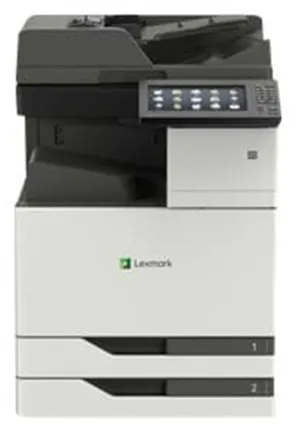
The Lexmark CX921DE is a colour laser-based multifunction printer designed for offices with high printing demands. It can print, scan, copy and fax at speeds of up to 35 pages per minute, both in black and white and in colour.
The printer supports a maximum print resolution of 1200 x 1200 dpi, ensuring sharp and detailed results. The large 10-inch touchscreen provides easy access to functions such as scan to email, FTP and USB.
With a standard paper capacity of 1150 sheets and the possibility of expansion up to 6650 sheets, the model is suitable for large print jobs. It can handle a wide range of media types and sizes, including A3, SRA3 and banner materials.
The CX921DE is equipped with USB 2.0, Gigabit LAN and host USB ports, offering flexible connectivity options. It also supports AirPrint and a range of printer emulations such as PCL 6, PostScript 3 and PDF 1.7.
With ENERGY STAR and Blue Angel certifications, the printer meets modern environmental standards. Its robust construction and monthly duty cycle of up to 200,000 pages make it suitable for intensive use in professional environments.
- High performance: Prints and copies up to 35 pages per minute, both in colour and black and white.
- High capacity: Standard capacity of 1150 sheets, expandable up to 6650 sheets.
- Versatile media handling: Supports formats up to SRA3 and various paper types.
- User-friendly operation: 10-inch colour touchscreen with intuitive functions.
- Flexible connectivity: USB 2.0, Gigabit LAN and AirPrint support.
- Eco certification: ENERGY STAR and Blue Angel approved.
Pros and cons
- High printing and scanning speed
- Large paper capacity and flexible media handling
- User-friendly touchscreen
- Supports many operating systems and network protocols
- Eco-friendly operation with low standby consumption
- Large and heavy device, requires adequate space
- Primarily intended for commercial use, not home offices
- Higher power consumption during operation compared to smaller printers
Pros and cons
Pros
- High printing and scanning speed
- Large paper capacity and flexible media handling
- User-friendly touchscreen
- Supports many operating systems and network protocols
- Eco-friendly operation with low standby consumption
Cons
- Large and heavy device, requires adequate space
- Primarily intended for commercial use, not home offices
- Higher power consumption during operation compared to smaller printers
Pros
- High printing and scanning speed
- Large paper capacity and flexible media handling
- User-friendly touchscreen
- Supports many operating systems and network protocols
- Eco-friendly operation with low standby consumption
Cons
- Large and heavy device, requires adequate space
- Primarily intended for commercial use, not home offices
- Higher power consumption during operation compared to smaller printers
Specifications
- Manufacturer: Lexmark
- Model: CX921DE
- Model number: 32C0236
- EAN: 0734646647670
- Item number: 2620718
- Device type: Multifunction printer (print, copy, scan, fax)
- Printing technology: Colour laser
- Maximum print speed: Up to 35 pages/min (mono/colour)
- Maximum resolution: 1200 x 1200 dpi
- Monthly duty cycle (max.): 200,000 pages
- Recommended monthly volume: 4,000–20,000 pages
- Display: 10" colour touchscreen
- Standard memory: 2 GB (expandable up to 4 GB)
- Paper capacity: 1150 sheets (max. 6650 sheets)
- Bypass feeder: 150 sheets
- Output tray: 250 sheets
- Document feeder: 100 sheets
- Automatic duplex: Yes (print, copy, scan)
- Interface: USB 2.0, Gigabit LAN, host USB
- AirPrint support: Yes
- Power consumption (operation/standby/sleep): 675 W / 0.2 W / 2.9 W
- Dimensions (W x D x H): 61.5 × 69.7 × 92.1 cm
- Weight: 108.5 kg
- Eco certifications: ENERGY STAR, Blue Angel
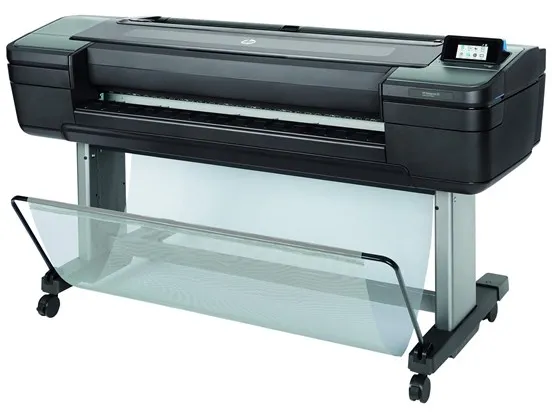
The HP DesignJet Z6 PostScript is a professional 24-inch large format printer that uses HP Thermal Inkjet technology to deliver sharp and saturated colour prints. It is developed for environments where precision and colour accuracy are essential, such as graphic design, architecture, and technical documentation.
The printer supports six colours – cyan, magenta, yellow, matte black, photo black, and chromatic red – offering a wide colour gamut and smooth tonal transitions. The maximum resolution of 2400 x 1200 dpi ensures detailed results, while the integrated cutter makes it easy to handle prints directly from the device.
With a print speed of up to 1.4 minutes per page (A1 format), the model combines speed with quality. It has a 500 GB hard drive for handling large files and supports multiple languages and file formats, including PostScript 3, HP GL/2, PDF 1.7, and TIFF.
The DesignJet Z6 PostScript is equipped with Gigabit LAN and USB host for flexible connectivity and can print directly from mobile devices or email. It supports a wide range of media types, from photo and art paper to film and poster materials, with a maximum media width of 61 cm.
The printer is EPEAT Silver certified and ENERGY STAR approved, reflecting its focus on energy efficiency and environmental considerations. Its solid construction and user-friendly software make it suitable for both office and production environments.
- High resolution: Prints up to 2400 x 1200 dpi for sharp and detailed results.
- Advanced colour management: Six colours, including chromatic red, for accurate colour reproduction.
- Integrated cutter: Makes it easy to cut prints directly from the printer.
- High media compatibility: Supports a wide range of paper types and formats up to 61 cm wide.
- Efficient performance: Prints A1 pages in approximately 1.4 minutes.
- Professional connectivity: Gigabit LAN and USB host for flexible network integration.
Pros and cons
- High print quality with 6-colour ink system
- Integrated cutter for easy post-processing
- Supports PostScript 3 and multiple professional file formats
- Internal 500 GB hard drive for large print jobs
- Energy efficient and environmentally certified (EPEAT Silver, ENERGY STAR)
- Relatively large and heavy device (66 kg)
- Primarily intended for professional users who need large format prints
- Requires special inks and media types for optimal quality
Pros and cons
Pros
- High print quality with 6-colour ink system
- Integrated cutter for easy post-processing
- Supports PostScript 3 and multiple professional file formats
- Internal 500 GB hard drive for large print jobs
- Energy efficient and environmentally certified (EPEAT Silver, ENERGY STAR)
Cons
- Relatively large and heavy device (66 kg)
- Primarily intended for professional users who need large format prints
- Requires special inks and media types for optimal quality
Pros
- High print quality with 6-colour ink system
- Integrated cutter for easy post-processing
- Supports PostScript 3 and multiple professional file formats
- Internal 500 GB hard drive for large print jobs
- Energy efficient and environmentally certified (EPEAT Silver, ENERGY STAR)
Cons
- Relatively large and heavy device (66 kg)
- Primarily intended for professional users who need large format prints
- Requires special inks and media types for optimal quality
Specifications
- Manufacturer: HP
- Model: T8W15A#B19
- EAN: 0192018667501
- Printer type: 24" colour large format printer
- Printing technology: HP Thermal Inkjet
- Colours: 6 (cyan, magenta, yellow, matte black, photo black, chromatic red)
- Maximum resolution: 2400 x 1200 dpi
- Print speed: up to 1.4 min/page (A1)
- Maximum media size: roll (61 cm)
- Maximum custom media size: 610 x 1676 mm
- Media capacity: 1 roll
- Media weight: 80–500 g/m²
- Media thickness: up to 0.8 mm
- Hard drive: 500 GB
- Interfaces: Gigabit LAN, USB host
- Language simulation: PostScript 3, HP RTL, CALS G4, HP GL/2, TIFF, PDF 1.7, JPEG
- Power consumption (operation): 100 W
- Power consumption (standby): 32 W
- Power consumption (sleep mode): 0.3 W
- Dimensions (W x D x H): 129.3 x 69.5 x 99.8 cm
- Weight: 66 kg
- Noise level (operation): 42 dBA
- Environmental certifications: EPEAT Silver, ENERGY STAR
- Operating temperature: 5–40 °C
- Humidity (in use): 20–80 %
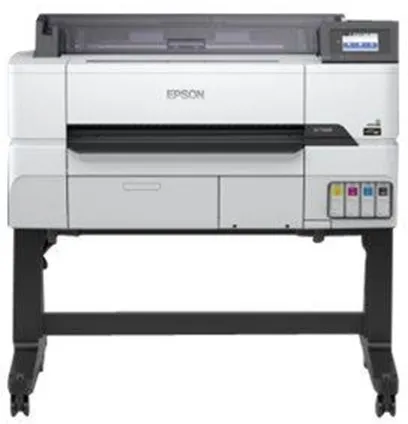
The Epson SureColor SC-T3405 is a technical large format printer designed to deliver precise and detailed prints. It is suitable for engineers, architects, and designers working with CAD drawings, topographic maps, or graphic posters.
The printer uses Epson's PrecisionCore technology and UltraChrome XD2 ink, which ensures sharp lines and vibrant colours. With a maximum resolution of 2400 x 1200 dpi, it can handle both technical documents and colourful presentation materials.
The SC-T3405 supports media sizes up to A1 (61 cm roll width) and has a built-in cutter, making it easy to produce precise prints in various formats. It comes with a stand and spindle unit for stable and practical use.
The printer has both wireless and wired connectivity, including Gigabit LAN, Wi-Fi(n), USB 3.0, and USB host. It is compatible with AirPrint, allowing direct printing from mobile devices without the need for additional drivers.
With 1 GB of installed RAM and support for multiple language protocols such as HP RTL, EPSON ESC/P, and HP GL/2, it is compatible with a wide range of systems and software. The built-in touchscreen makes operation intuitive and efficient.
- High resolution: Prints up to 2400 x 1200 dpi for sharp and detailed results.
- PrecisionCore technology: Provides precise lines and consistent colour reproduction.
- Wireless and wired connectivity: Supports Wi-Fi, Gigabit LAN, and USB 3.0.
- Built-in cutter: Makes it easy to produce precise prints in the desired format.
- Compatible with AirPrint: Allows direct printing from mobile devices.
- With stand: Supplied with a stand for stable and ergonomic use.
Pros and cons
- High print quality with 2400 x 1200 dpi resolution
- Supports both wireless and wired connection
- Built-in cutter and stand included
- Compatible with multiple operating systems and language protocols
- Suitable for both technical drawings and graphic posters
- Relatively large and heavy (64 kg), requires a fixed space
- First page print takes approximately 25 seconds
- Mainly intended for professional users, not regular offices
Pros and cons
Pros
- High print quality with 2400 x 1200 dpi resolution
- Supports both wireless and wired connection
- Built-in cutter and stand included
- Compatible with multiple operating systems and language protocols
- Suitable for both technical drawings and graphic posters
Cons
- Relatively large and heavy (64 kg), requires a fixed space
- First page print takes approximately 25 seconds
- Mainly intended for professional users, not regular offices
Pros
- High print quality with 2400 x 1200 dpi resolution
- Supports both wireless and wired connection
- Built-in cutter and stand included
- Compatible with multiple operating systems and language protocols
- Suitable for both technical drawings and graphic posters
Cons
- Relatively large and heavy (64 kg), requires a fixed space
- First page print takes approximately 25 seconds
- Mainly intended for professional users, not regular offices
Specifications
- Manufacturer: Epson
- Model: C11CJ55301A0 (SureColor SC-T3405)
- EAN: 8715946687001
- Printer type: 24" colour inkjet large format printer
- Inkjet technology: Epson PrecisionCore
- Ink type: Epson UltraChrome XD2 Ink
- Colours: 4 colours (cyan, magenta, yellow, black)
- Resolution: 2400 x 1200 dpi
- Maximum media size: A1 roll (61.0 cm)
- Media thickness: 0.05 – 0.3 mm
- Connections: Gigabit LAN, Wi-Fi(n), USB host, USB 3.0
- AirPrint: Yes
- RAM: 1 GB
- Language simulation: HP RTL, EPSON ESC/P, HP GL/2
- Built-in cutter: Yes
- Built-in devices: Touchscreen
- Power consumption (operation): 38 W
- Power consumption (standby): 13 W
- Power consumption (sleep mode): 0.25 W
- Noise level (operation): 50 dBA
- Dimensions (W x D x H): 108 × 75 × 106 cm
- Weight: 64 kg
- Included equipment: Stand, spindle unit, 4 ink cartridges (CMYK)
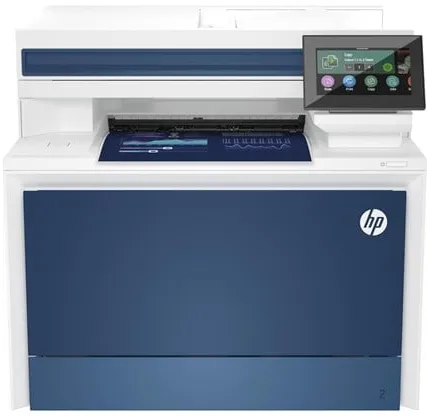
The HP Color LaserJet Pro MFP 4302fdn is a multifunction printer that brings together printing, copying, scanning and faxing in one compact device. It uses colour laser technology and offers prints with a resolution of up to 600 x 600 dpi, ensuring clear and precise documents.
The printer has a print speed of up to 35 pages per minute in black and white and 33 pages per minute in colour, making it suitable for offices with a moderate to high print volume. It supports automatic duplex printing and has a standard paper capacity of 300 sheets, which can be expanded up to 850 sheets.
The device is equipped with a 4.3-inch colour touchscreen that provides easy access to functions such as scanning to email, network folders and USB. It supports both USB 2.0 and Gigabit LAN and is compatible with AirPrint and Mopria for wireless printing from mobile devices.
With a recommended monthly print volume between 750 and 4000 pages and a maximum duty cycle of 50,000 pages, the printer is built for continuous use. It comes with four colour toner cartridges and supports HP dynamic security features to protect against unauthorised cartridges.
- Fast printing: Up to 35 pages per minute in black and white and 33 pages per minute in colour.
- Multifunctional: Combines printing, copying, scanning and faxing in one device.
- Automatic duplex: Prints on both sides of the paper to save time and paper.
- Network connectivity: Supports both USB 2.0 and Gigabit LAN, as well as AirPrint.
- User-friendly operation: 4.3" colour touchscreen with intuitive menus.
Pros and cons
- High print speed and efficient document management
- Integrated fax and automatic duplex printing
- Large paper capacity with expansion option
- Network and mobile printing via AirPrint and Mopria
- Robust construction for office use
- Relatively heavy and takes up a lot of desk space
- No standard wireless Wi-Fi connection
- Mainly intended for office use, not home use
Pros and cons
Pros
- High print speed and efficient document management
- Integrated fax and automatic duplex printing
- Large paper capacity with expansion option
- Network and mobile printing via AirPrint and Mopria
- Robust construction for office use
Cons
- Relatively heavy and takes up a lot of desk space
- No standard wireless Wi-Fi connection
- Mainly intended for office use, not home use
Pros
- High print speed and efficient document management
- Integrated fax and automatic duplex printing
- Large paper capacity with expansion option
- Network and mobile printing via AirPrint and Mopria
- Robust construction for office use
Cons
- Relatively heavy and takes up a lot of desk space
- No standard wireless Wi-Fi connection
- Mainly intended for office use, not home use
Specifications
- Manufacturer: HP
- Model: 4RA84F#B19
- EAN: 0196068323226
- Device type: Multifunction printer (print, copy, scan, fax)
- Printing technology: Colour laser
- Maximum print speed: Up to 35 ppm (mono) / 33 ppm (colour)
- Print resolution: Up to 600 x 600 dpi
- Copy speed: Up to 35 ppm (mono/colour)
- Scanning: CIS, 600 x 600 dpi, 30-bit colour depth
- Fax speed: 33.6 Kbps
- Paper capacity: 300 sheets (standard), 850 sheets (max.)
- Document feeder: 50-sheet ADF
- Automatic duplex: Yes
- Display: 4.3" colour touchscreen
- Interface: USB 2.0, Gigabit LAN
- AirPrint compatible: Yes
- Memory: 512 MB
- Monthly duty cycle (max.): 50,000 pages
- Recommended monthly volume: 750–4000 pages
- Dimensions (W x D x H): 42.1 × 43.5 × 38.4 cm
- Weight: 20.4 kg
- Power consumption (operation/standby/sleep): 585 W / 18 W / 0.8 W
- Supported operating systems: Windows, macOS, Linux, Android, iOS, Chrome OS
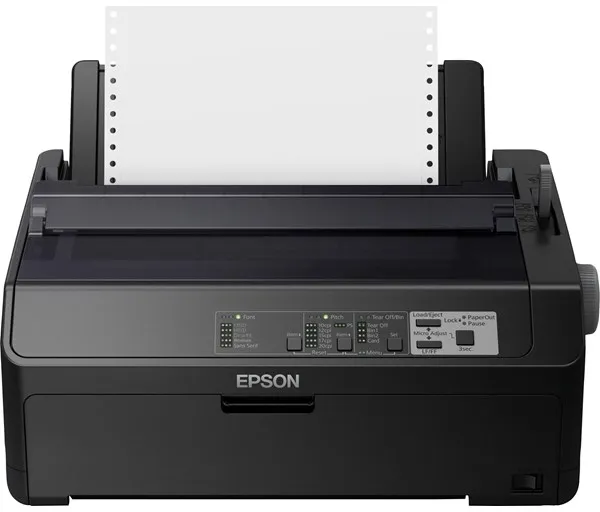
The Epson FX 890II is an 80-column dot matrix printer developed to provide fast and stable black-and-white printing. It uses a 9-pin print mechanism, making it suitable for tasks requiring carbon copy paper or continuous forms.
The printer can handle multiple media types, including roll paper, envelopes, and continuous sheets, and supports media sizes up to JIS B4. The maximum print speed is up to 738 characters per second, making it efficient for high print volumes.
With a resolution of 240 x 144 dpi, it delivers clear text and symbols and supports EPSON ESC/P and IBM PPDS language simulations. The printer can be connected via parallel port or USB 2.0, offering flexibility in setup.
The FX 890II is built for a long lifespan, with a print head capable of handling up to 400 million characters and a ribbon with a capacity of up to 7.5 million characters. The internal power supply and low power consumption in sleep mode contribute to efficient operation.
Weighing 7.2 kg and with compact dimensions of 41.4 × 32 × 17.65 cm, the printer fits into many work environments where reliable and continuous printing is required.
- High print speed: Up to 738 characters per second in ultra high-speed draft mode.
- Flexible paper handling: Supports roll paper, envelopes, and continuous sheets.
- Long lifespan: Print head up to 400 million characters and ribbon up to 7.5 million characters.
- Connectivity options: Parallel and USB 2.0 for easy integration into existing systems.
- Low power consumption: Only 0.8 W in sleep mode and 54 W during operation.
Pros and cons
- Highly reliable and robustly built
- High print speed for large text volumes
- Supports carbon copy paper and continuous forms
- Long lifespan of print head and ribbon
- Compatible with many versions of Windows
- Limited to monochrome printing
- Noise level of 55 dBA can be high in quiet office environments
- Mainly suitable for specific commercial purposes rather than general office printing
Pros and cons
Pros
- Highly reliable and robustly built
- High print speed for large text volumes
- Supports carbon copy paper and continuous forms
- Long lifespan of print head and ribbon
- Compatible with many versions of Windows
Cons
- Limited to monochrome printing
- Noise level of 55 dBA can be high in quiet office environments
- Mainly suitable for specific commercial purposes rather than general office printing
Pros
- Highly reliable and robustly built
- High print speed for large text volumes
- Supports carbon copy paper and continuous forms
- Long lifespan of print head and ribbon
- Compatible with many versions of Windows
Cons
- Limited to monochrome printing
- Noise level of 55 dBA can be high in quiet office environments
- Mainly suitable for specific commercial purposes rather than general office printing
Specifications
- Manufacturer: Epson
- Model: C11CF37401
- EAN: 8715946634487
- Printer type: Workgroup printer - dot matrix - 9-pin - monochrome
- Maximum resolution: 240 x 144 dpi
- Print speed: Up to 738 characters/sec (ultra high-speed draft)
- Interfaces: Parallel, USB 2.0
- RAM: 128 KB
- Language simulation: EPSON ESC/P, IBM PPDS
- Supported barcodes: Matrix 2 of 5, Code 39, EAN/JAN-8, EAN/JAN-13, UPC-A, UPC-E, Coadabar, Code 128, Postnet etc.
- Media types: Envelopes, plain paper, continuous sheets
- Maximum media size: Roll (21.6 cm), JIS B4 (257 x 364 mm), continuous paper 101.6–254 mm width
- Permitted media thickness: 0.06–0.46 mm
- Maximum number of multipart forms: 6
- Connections: 1 x USB 2.0, 1 x parallel
- Power consumption: 54 W (operation), 0.8 W (sleep mode)
- MTBF: 25,000 hours
- Dimensions (W x D x H): 41.4 × 32 × 17.65 cm
- Weight: 7.2 kg
- Operating temperature: 5–35 °C
- Operating humidity: 10–80 %
- Noise level: 55 dBA
- ENERGY STAR certification: Yes
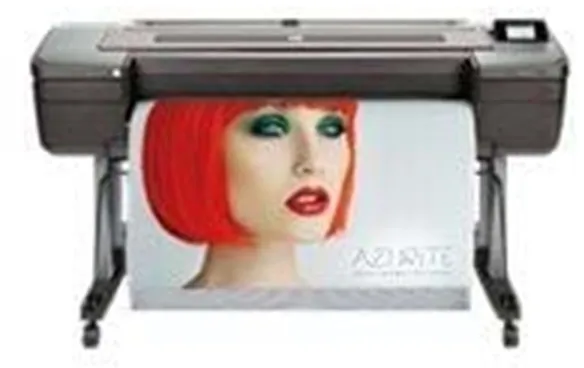
The HP DesignJet Z9+ PostScript is a 44-inch large format printer designed for professional environments where precision and colour reproduction are essential. It uses HP Thermal Inkjet technology and a 9-colour ink system, which includes both standard colours and chromatic shades to achieve a wide colour gamut and smooth transitions.
The printer offers a maximum resolution of 2400 x 1200 dpi and can print up to 1.2 minutes per page in normal colour mode. It supports a wide range of media types, including photo paper, art paper, film, and poster materials, and can handle rolls up to 111.8 cm wide.
With an integrated cutter and a 500 GB hard drive, the printer is optimised for efficient workflow and handling of large files. It supports PostScript 3, HP GL/2, PDF 1.7, and other languages, making it compatible with many professional software solutions.
The DesignJet Z9+ PostScript is equipped with Gigabit LAN and USB host connectivity, offering flexible connection options. It is also EPEAT Silver certified and ENERGY STAR approved, reflecting its focus on energy efficiency and environmental responsibility.
- 9-colour ink system: Provides accurate colour reproduction and smooth transitions in images and graphics.
- High resolution: Prints up to 2400 x 1200 dpi for sharp and detailed results.
- Integrated cutter: Allows automatic trimming of prints for a professional finish.
- 500 GB hard drive: Supports handling of large print files and complex jobs.
- PostScript 3 support: Compatible with professional workflows and graphic applications.
- Energy efficiency: EPEAT Silver and ENERGY STAR certified.
Pros and cons
- Professional colour accuracy with 9-colour ink system
- High print resolution and fast performance
- Integrated cutter and large media capacity
- Supports PostScript 3 and multiple file formats
- Robust construction with internal 500 GB hard drive
- Large and heavy device, requires adequate space
- Primarily intended for professional users with large format printing needs
- Long delivery time when ordered
Pros and cons
Pros
- Professional colour accuracy with 9-colour ink system
- High print resolution and fast performance
- Integrated cutter and large media capacity
- Supports PostScript 3 and multiple file formats
- Robust construction with internal 500 GB hard drive
Cons
- Large and heavy device, requires adequate space
- Primarily intended for professional users with large format printing needs
- Long delivery time when ordered
Pros
- Professional colour accuracy with 9-colour ink system
- High print resolution and fast performance
- Integrated cutter and large media capacity
- Supports PostScript 3 and multiple file formats
- Robust construction with internal 500 GB hard drive
Cons
- Large and heavy device, requires adequate space
- Primarily intended for professional users with large format printing needs
- Long delivery time when ordered
Specifications
- Manufacturer: HP
- Model: W3Z72A#B19
- EAN: 0192018667709
- Printer type: 44" large format colour printer (thermal inkjet)
- Printing technology: HP Thermal Inkjet
- Colour system: 9 ink cartridges (cyan, magenta, yellow, matte black, photo black, chromatic red, chromatic green, chromatic blue, grey)
- Maximum resolution: 2400 x 1200 dpi
- Print speed: Up to 1.2 min/page (A1 or ANSI D)
- Maximum media size: Roll (111.8 cm)
- Custom media size: Up to 1118 x 1676 mm
- Media types: Photo paper, art paper, film, backlit, poster paper, matte paper
- Media weight: 80–500 g/m²
- Media thickness: Up to 0.8 mm
- Connections: 1 x Gigabit LAN (RJ-45), 1 x USB host
- Hard drive: 500 GB
- Language simulation: PostScript 3, HP RTL, CALS G4, HP GL/2, TIFF, PDF 1.7, JPEG
- Power consumption (operation): 100 W
- Power consumption (standby): 32 W
- Power consumption (sleep): 0.3 W
- Dimensions (W x D x H): 180.2 x 69.5 x 99.8 cm
- Weight: 94 kg
- Certifications: EPEAT Silver, ENERGY STAR, RoHS, WEEE
- Noise level: 42 dBA (operating), 33 dBA (idle)
- Operating temperature: 5–40 °C
- Humidity (in use): 20–80 %
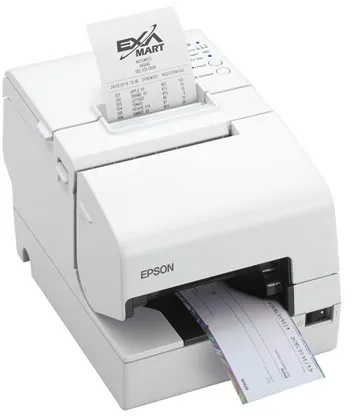
The Epson TM H6000V-203P1 is an integrated POS printer that can handle receipts, notes, and cheques. It combines thermal line printing and dot-matrix technology in a single device, making it suitable for environments where multiple printing functions are required at the point of sale.
The printer offers a print speed of up to 300 mm per second and a resolution of 180 x 180 dpi, ensuring fast and clear prints. It supports multiple media types, including plain and thermal paper, and has an automatic cutter for efficient receipt handling.
With connectivity options such as USB, LAN, serial, NFC, and USB 2.0 host, the printer can be easily integrated into different POS systems. It is equipped with sensors that detect paper out, open cover, and low paper levels, contributing to stable operation.
The device comes in white and has a compact design with dimensions of 18.6 × 27.8 × 18.1 cm and a weight of 4.4 kg. It is designed for European markets and comes with software such as Epson Server Direct Print, ePOS-Print, and ePOS-Display.
- Combined technology: Thermal line and dot-matrix printing in a single device.
- High print speed: Up to 300 mm/sec. for fast receipt printing.
- Flexible connectivity: Supports USB, LAN, serial, NFC, and USB 2.0 host.
- Automatic cutter: Efficient handling of receipts and notes.
- Integrated sensors: Monitor paper status and cover to prevent operational interruptions.
Pros and cons
- Combines multiple printing technologies in a single device
- High print speed of up to 300 mm/sec.
- Numerous connectivity options for different POS systems
- Integrated sensors for operational reliability
- Automatic cutter for efficient operation
- Relatively heavy device, 4.4 kg
- The product is discontinued and may be difficult to find new
Pros and cons
Pros
- Combines multiple printing technologies in a single device
- High print speed of up to 300 mm/sec.
- Numerous connectivity options for different POS systems
- Integrated sensors for operational reliability
- Automatic cutter for efficient operation
Cons
- Relatively heavy device, 4.4 kg
- The product is discontinued and may be difficult to find new
Pros
- Combines multiple printing technologies in a single device
- High print speed of up to 300 mm/sec.
- Numerous connectivity options for different POS systems
- Integrated sensors for operational reliability
- Automatic cutter for efficient operation
Cons
- Relatively heavy device, 4.4 kg
- The product is discontinued and may be difficult to find new
Specifications
- Manufacturer: Epson
- Model: C31CG62203P1
- EAN: 8715946686486
- Item number: 2870874
- Printer type: Receipt printer - thermal line / dot-matrix - 9-pin - monochrome
- Maximum resolution: 180 x 180 dpi
- Print speed: Up to 300 mm/sec. / 5.7 lines/sec.
- Maximum media size: 230 x 297 mm, Roll (7.95 cm)
- Maximum roll diameter: 83 mm
- Media type: Plain paper, thermal paper
- Automatic cutter: Yes
- Reprint: Up to 3 copies
- Connectivity: USB, LAN, serial, NFC, USB 2.0 host
- Network: Print server
- Dimensions (W x D x H): 18.6 × 27.8 × 18.1 cm
- Weight: 4.4 kg
- Colour: White
- MTBF: 360,000 hours
- Power supply: Power adapter
- Software: Epson Server Direct Print, ePOS-Print, ePOS-Display
- Operating temperature: 5–45 °C
- Operating humidity: 10–90 %
- Noise level: 55 dBA
- ENERGY STAR certified: Yes
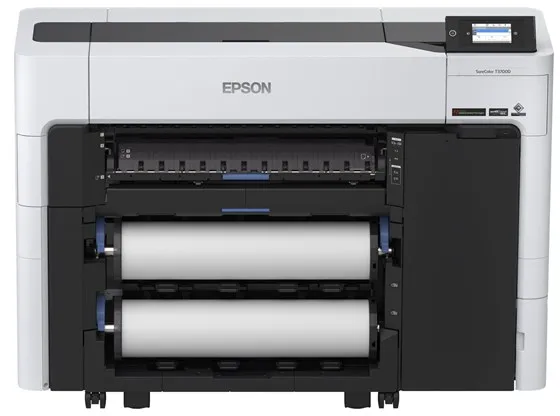
The Epson SureColor SC-T3700DE is a 24-inch large format printer designed for professional users who require precision and efficiency. It uses six separate ink colours – cyan, magenta, yellow, red, photo black, and matte black – to deliver sharp and saturated colour results.
The printer uses Epson's UltraChrome XD3 ink and Variable-sized Droplet technology, which ensures consistent colour reproduction and fine details, whether printing technical drawings, posters, or graphic materials.
With a maximum resolution of 2400 x 1200 dpi and a speed of up to 130 square metres per hour, the SC-T3700DE combines high productivity with professional quality. The integrated automatic cutter and support for roll media up to 61 cm wide make it suitable for continuous production.
The printer has a 4.3-inch colour touchscreen, wireless connectivity, and supports both USB and Gigabit LAN. It is equipped with security features such as Trusted Platform Module (TPM) and supports multiple language protocols, including HP GL/2 and PDF 1.7.
With a compact design and a weight of 118 kg, the SC-T3700DE is built to fit into professional environments where space, reliability, and quality are essential.
- High print quality: Resolution up to 2400 x 1200 dpi with six-colour UltraChrome XD3 ink.
- Fast production: Prints up to 130 m² per hour, both in colour and black and white.
- Flexible media handling: Supports roll media up to 61 cm and automatic cutting.
- User-friendly operation: 4.3" colour touchscreen and wireless connectivity.
- Secure and efficient: Integrated TPM and support for modern network protocols.
Pros and cons
- Professional print quality with six colours
- High speed and efficient media handling
- Wireless and wired network connectivity
- Integrated automatic cutter and user-friendly touchscreen
- Security features for data protection
- Large and heavy construction requires a fixed installation space
- Primarily intended for professional users with high printing needs
Pros and cons
Pros
- Professional print quality with six colours
- High speed and efficient media handling
- Wireless and wired network connectivity
- Integrated automatic cutter and user-friendly touchscreen
- Security features for data protection
Cons
- Large and heavy construction requires a fixed installation space
- Primarily intended for professional users with high printing needs
Pros
- Professional print quality with six colours
- High speed and efficient media handling
- Wireless and wired network connectivity
- Integrated automatic cutter and user-friendly touchscreen
- Security features for data protection
Cons
- Large and heavy construction requires a fixed installation space
- Primarily intended for professional users with high printing needs
Specifications
- Manufacturer: Epson
- Model: C11CH80302A0
- EAN: 8715946702872
- Printer type: 24" colour inkjet large format printer
- Maximum resolution: 2400 x 1200 dpi
- Colours: 6 (cyan, magenta, yellow, red, photo black, matte black)
- Ink type: Epson UltraChrome XD3 Ink
- Print speed: up to 130 m²/hour
- Cutter: Yes (automatic cutter)
- Connections: USB, Gigabit LAN, Wi-Fi
- Integrated display: 4.3" colour LCD touchscreen
- RAM: 4 GB
- Supported languages: HP RTL, EPSON ESC/P, HP GL/2, PDF 1.7
- Maximum media size: Roll (61 cm)
- Dimensions (W x D x H): 136.5 × 49.9 × 97.5 cm
- Weight: 118 kg
- Power consumption (operation): 75 W
- Power consumption (standby): 0.3 W
- Noise level (operation): 50 dBA
- Security features: Trusted Platform Module (TPM), card authentication
Different types of printers
Printers come in many varieties, and knowing the differences can be an advantage before choosing.
1. Inkjet printers
Inkjet printers are popular at home due to their good colour reproduction and ability to print high-quality photos. They are often cheaper to buy, but ink cartridges can be expensive if you print a lot.
2. Laser printers
Laser printers are fast and efficient, especially for black-and-white printing. They are ideal for offices and businesses that print large volumes of text. There are also colour laser printers, but these are usually more expensive both to buy and to maintain.
3. Multifunction printers
These models combine a printer, scanner and copier in one device. They are practical for those who need several functions without investing in separate machines. Many multifunction printers also support wireless printing and cloud storage.
4. Photo printers
Photo printers are designed to deliver professional-quality images. They often use more ink colours than standard printers and can print on special paper. They are suitable for photographers and creative users.
5. 3D printers
Although they differ significantly from traditional printers, 3D printers have become more accessible. They are used to create physical objects from digital models and are popular among designers, engineers and enthusiasts.
Different printer brands
The printer market is dominated by a few major manufacturers, each with its own strengths and areas of focus.
HP
HP is known for a wide range of printers – from affordable home models to advanced office models. The brand focuses on ease of use, wireless connectivity and high reliability.
Canon
Canon is especially known for its photo printers and multifunction models with high colour quality. Their printers are popular among both home users and professional photographers.
Epson
Epson offers both inkjet and laser printers, focusing on energy efficiency and low operating costs. Their EcoTank series, with refillable ink tanks, is a popular choice for those who print a lot.
Brother
Brother is known for its robust and reliable printers, often used in business environments. They offer both laser and inkjet models, focusing on speed and efficiency.
Samsung and Lexmark
Samsung and Lexmark mainly produce laser printers for offices. They are known for high print speeds, good network integration and long lifespan.
Frequently asked questions
What type of printer is best for home use?
For regular home use, an inkjet or multifunction printer is often the best choice. It can handle both documents and photos and doesn’t take up much space.
How often should the ink or toner be replaced?
It depends on how much you print. An average user replaces ink cartridges every two to three months, while toner in laser printers usually lasts longer.
Can I print wirelessly from my smartphone?
Yes, most modern printers support wireless printing via Wi-Fi, Bluetooth or apps such as Apple AirPrint and Google Cloud Print.
What does “cost per page” mean?
The cost per page indicates how much it costs to print one page, including ink or toner. It’s a good indicator of the printer’s operating costs over time.
How can I prevent the ink from drying out?
If you don’t print often, the ink in the cartridges can dry out. Print a few pages each month to keep the nozzles clean or choose a laser printer, which doesn’t use liquid ink.
Læs også: